IR Blaster Remote
Turn Your Android Device into a Universal Infrared Remote
• Converts phones, USB IR dongles, or audio‑to‑IR adapters into a powerful IR controller.
• Lets you build custom remotes, send hex or raw IR signals, import existing IR files, and test unknown commands—all from one app.
Key Features
• Works with built‑in IR emitters, supported USB IR dongles, and mono/stereo audio‑to‑IR adapters.
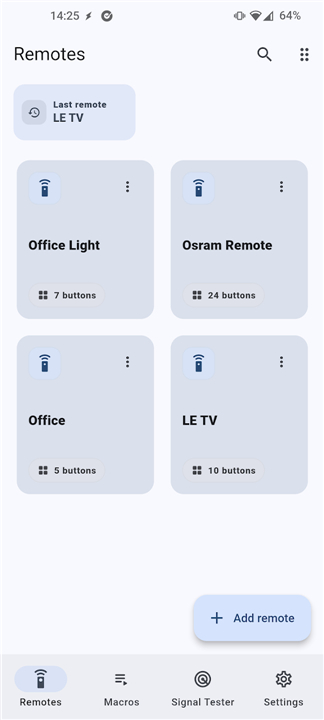
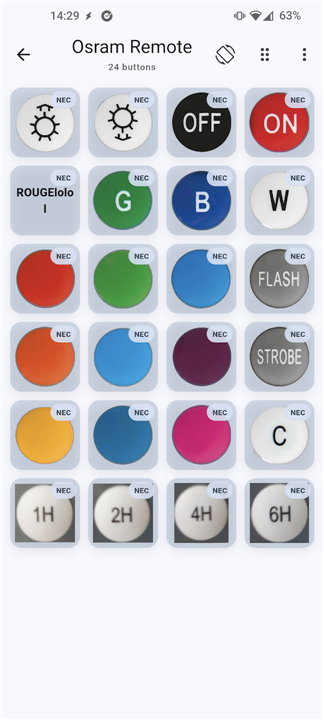
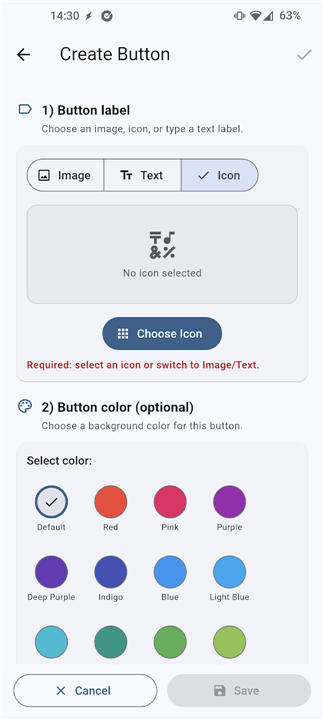
• Create and manage fully personalized remote layouts.
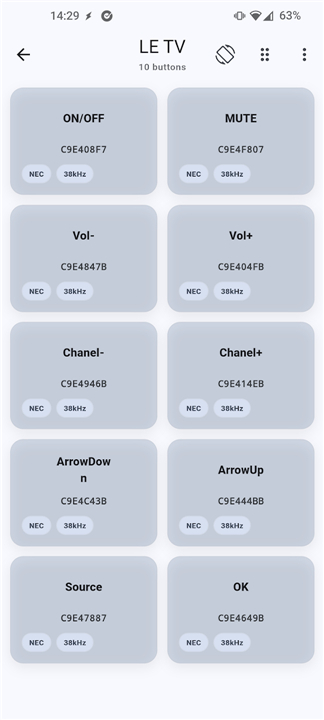
• Send raw patterns or protocol‑based commands (NEC, RC5, RC6, Sony, Samsung, Panasonic, JVC, Denon, Thomson, etc.).
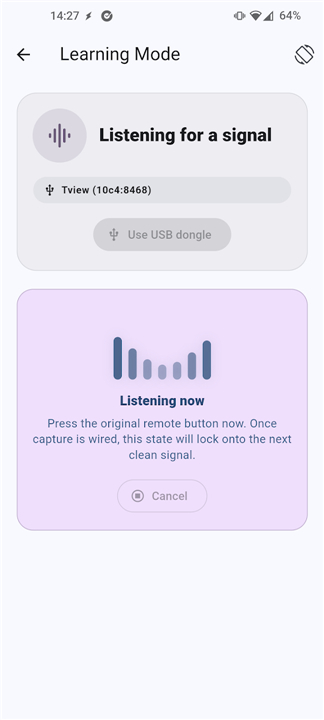
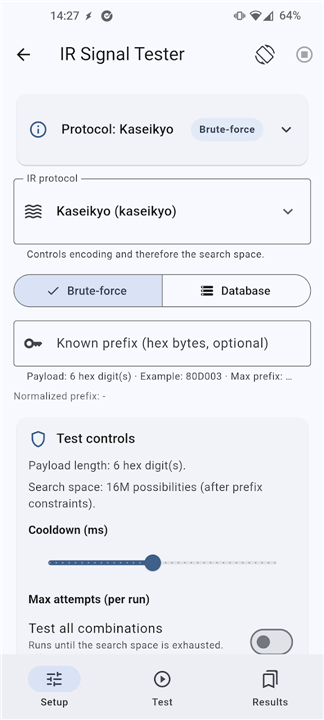
• Signal Tester discovers unknown IR codes; Learning mode captures signals from compatible remotes on supported hardware (e.g., ZaZa Remote Tiqia, Elksmart dongles).
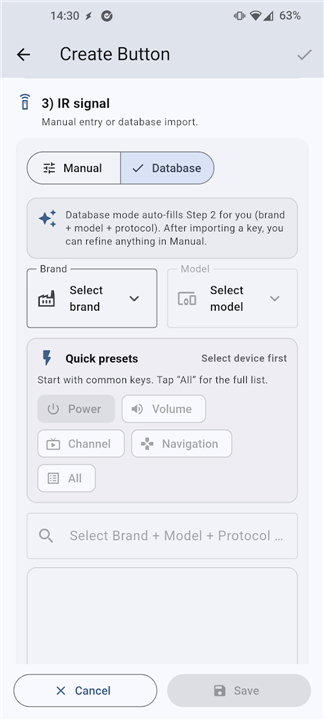
• Import Flipper Zero .ir, IRPLUS .irplus/xml, and LIRC .conf/cfg/lirc files; export and back up remotes in JSON.
• Precise mark‑and‑space timing for advanced users.
Why Choose IR Blaster
• One‑stop solution for controlling TVs, air conditioners, set‑top boxes, projectors, fans, and any IR‑enabled device.
• Flexibility to use existing code libraries or learn new signals on the fly.
• Designed for both casual users who need a simple remote and enthusiasts who want deep protocol control.
How It Works
• Ensure you have at least one transmit path: built‑in IR emitter, a supported USB IR dongle, or a compatible audio‑to‑IR adapter.
• Install the app, select your hardware, and start building or importing remotes.
• Use the Signal Tester or Learning mode to capture unknown codes, then assign them to buttons in your custom layout.
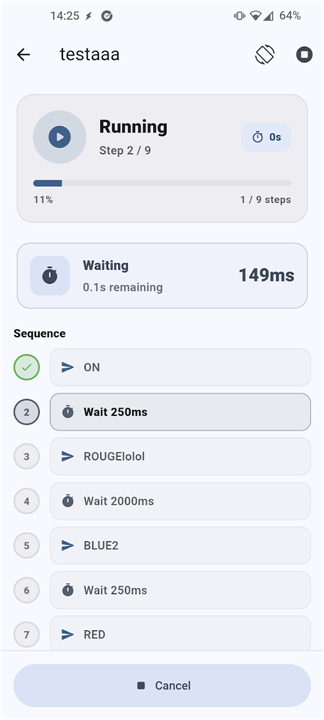
• Transmit commands instantly; back up your configuration whenever you like.
Requirements
• An Android device with at least one of the following: internal IR emitter, a supported USB IR dongle, or a mono/stereo audio‑to‑IR adapter.
• No additional hardware is needed beyond the chosen transmit method.
Infrared Control Simplified
• IR Blaster empowers you to take full command of your infrared world—whether you’re consolidating remotes, experimenting with new devices, or preserving beloved control setups.
FAQ
Q: Do I need any special hardware to use the app?
A: You only need one transmit path: either the built‑in IR emitter on your device, a supported USB IR dongle, or a mono/stereo audio‑to‑IR adapter. No extra accessories are required beyond the chosen method.
Q: Can I create my own remote layout, or do I have to use preset templates?
A: The app lets you design fully personalized remote layouts from scratch. You can add buttons, rename them, arrange them in any grid you like, and assign any IR signal you capture or import to each button.
Q: What types of IR signals can I send with IR Blaster?
A: You can transmit raw timing patterns or protocol‑based commands for a wide range of standards, including NEC, RC5, RC6, Sony, Samsung, Panasonic, JVC, Denon, Thomson, and many others.
Version History
v3.3.4——25 Aug 2026
Infrared remote with learning mode, signal tester and LIRC Flipper Zero import Download the latest version of IR Blaster Remote to enjoy new features and updates immediately!
*3.3.4
Added 23 new infrared protocols, expanding compatibility across more devices and brands.
Added multi-transmitter support: send IR via built-in emitter, supported USB IR dongles, or audio-to-IR adapters (1-LED / 2-LED).
New Signal Tester tab (IR Finder / bruteforcer) to help discover unknown working IR codes with guided inputs and progress tracking.
USB IR learning.
IR Blaster is open source, check out our GitHub repository at https://github.com/iodn/android-ir-blaster if you want to contribute.
*3.3.3
Added 23 new infrared protocols, expanding compatibility across more devices and brands.
Added multi-transmitter support: send IR via built-in emitter, supported USB IR dongles, or audio-to-IR adapters (1-LED / 2-LED).
New Signal Tester tab (IR Finder / bruteforcer) to help discover unknown working IR codes with guided inputs and progress tracking.
USB IR learning.
IR Blaster is open source, check out our GitHub repository at https://github.com/iodn/android-ir-blaster if you want to contribute.
*3.3.1
Added 23 new infrared protocols, expanding compatibility across more devices and brands.
Added multi-transmitter support: send IR via built-in emitter, supported USB IR dongles, or audio-to-IR adapters (1-LED / 2-LED).
New Signal Tester tab (IR Finder / bruteforcer) to help discover unknown working IR codes with guided inputs and progress tracking.
USB IR learning.
IR Blaster is open source, check out our GitHub repository at https://github.com/iodn/android-ir-blaster if you want to contribute.