KeepOn - Keep screen on!
Overview
• KeepOn is a lightweight, utility application designed to give you complete control over your Android device's screen timeout settings.
• Whether you are reading, coding, or monitoring a task, KeepOn ensures your screen remains active exactly when you need it.
Core Features
• Free and Open-Source (FOSS): Fully transparent software with zero advertisements, no tracking scripts, and absolute privacy.
• No Internet Requirement: The application works entirely offline, ensuring no data ever leaves your device.
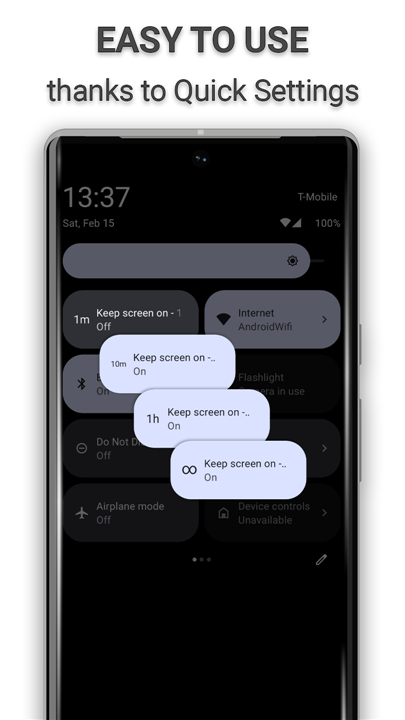
• Flexible Screen-On Control: Keeps your screen active for any chosen duration, preventing unwanted sleep cycles.
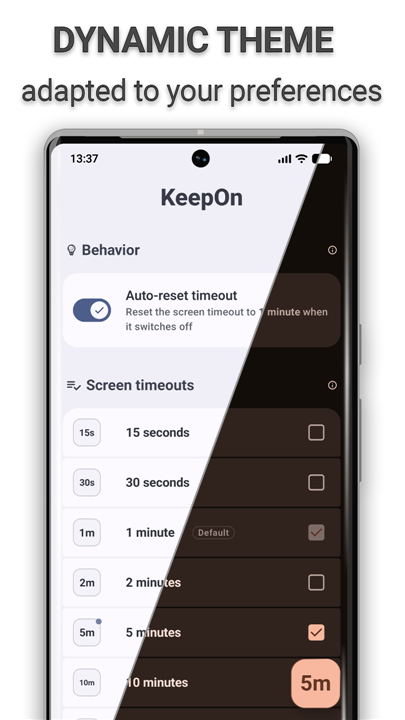
• Automatic Reset: Restores your device's default system screen timeout settings automatically once the screen turns off.
• Adaptive Configuration: Dynamically adjusts its interface and functions based on your specific device's hardware and software settings.
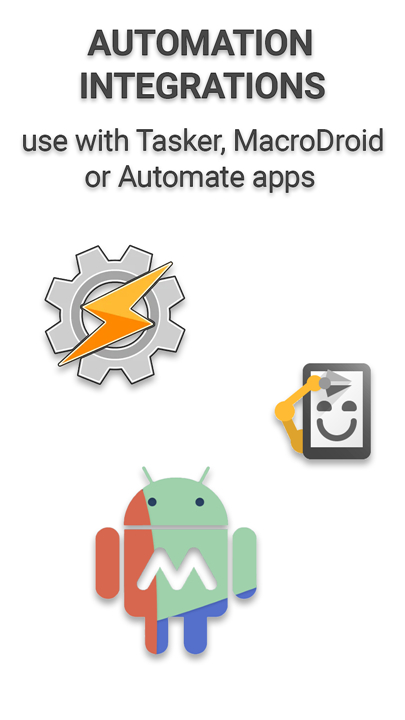
• Automation Support: Includes an integrated Tasker and Locale plugin, allowing other compatible automation apps to trigger KeepOn functions seamlessly.
Required Permissions
• Write Settings (WRITE_SETTINGS): Required by Android to safely modify the system's screen timeout duration.
• Foreground Service (FOREGROUND_SERVICE): Keeps the utility active in the background to accurately monitor screen-off events and external timeout changes.
• Ignore Battery Optimizations (REQUEST_IGNORE_BATTERY_OPTIMIZATIONS): Prevents the Android operating system from aggressively terminating KeepOn while it is actively running.
• Post Notifications (POST_NOTIFICATIONS): Enables the application to display a persistent notification, keeping you informed when the service is active.
Source Code and Development
• Open Source Repository: The complete source code is publicly available for review, contributions, and bug reporting at: https://github.com/twentynine78/KeepOn
FAQ
Q: How does KeepOn help me keep my screen active?
A: The application allows you to select a flexible screen-on duration of your choice, ensuring your display stays active exactly when you need it. Once your task is finished, the app works behind the scenes to keep things running smoothly.
Q: Is KeepOn free to use, and are there any annoying ads?
A: Yes, KeepOn is completely free and open-source. This means there are absolutely zero advertisements, hidden fees, or tracking scripts, allowing you to enjoy a clean and straightforward experience without any interruptions.
Q: Does the app collect or share my personal data?
A: Not at all! KeepOn values your absolute privacy and operates entirely offline. Because it does not require an internet connection, none of your personal data ever leaves your device.
Version History
v2.2.1——24 Aug 2026
Keep your screen on smartly and easily with Quick Settings. Download the latest version of KeepOn - Keep screen on! to enjoy new features and updates immediately!
*2.2.1
- New: Tasker/Locale event plugin — trigger your automations when KeepOn resets the screen timeout on screen off
- Fixed a rare Quick Settings tile crash that could occur during a device backup or restore
- Improved stability
- Dependency updates
*2.2.0
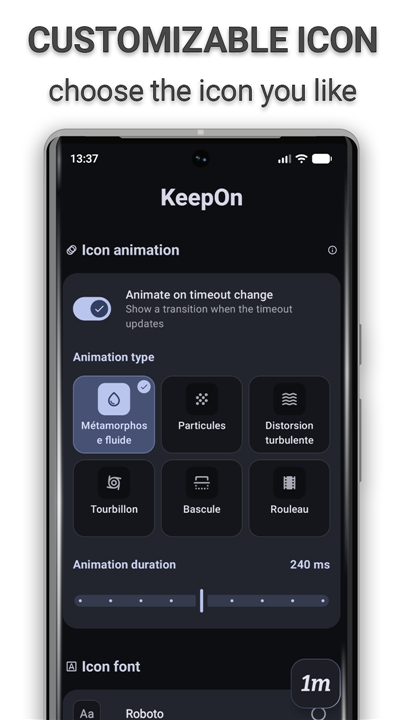
- New: the timeout icon now animates when the screen timeout changes, choose from 6 styles on the tile, or turn it off
- Redesigned Style screen: drag-to-place icon pad, live animation previews and clearer settings
- The widget now follows your Material You colors, with rounded corners and proper support on Android 9–11
- More reliable Quick Settings tile and screen-timeout syncing
- Crash fixes, a smaller download
- Dependency updates
*2.1.1
- Ability to use a widget(s) to control the app
- Simplified Chinese translation
- Bug fixes
- Improved performance and stability
- Dependency updates