Metronome
Overview
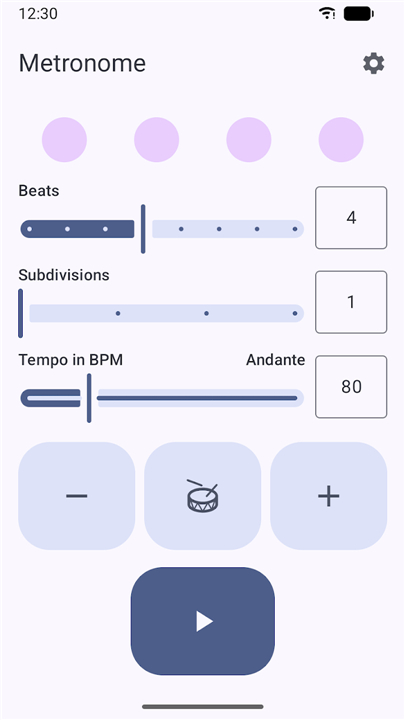
• Introducing a clean, reliable, and elegant metronome designed specifically for musicians who want to focus entirely on their practice.
• This application delivers exactly what you expect from a premium timing tool, eliminating unnecessary clutter while providing essential, high-quality features to help you master your rhythm.
Core Timing Features
1. Adjustable Beats and Subdivisions:
• Customize your time signature and divide beats into eighths, triplets, sixteenths, or other variations to practice complex rhythmic patterns.
2. Tap Tempo:
• Instantly set your desired beats per minute (BPM) by simply tapping along to the rhythm of any song.
3. Gap Ticks:
• Silence specific beats or measures to test your internal clock and improve your independent timing accuracy.
Visual and Interface Design
1. Beat Visualization:
• Keep time easily with high-contrast visual indicators that flash in perfect sync with the audio, providing a clear, silent option for keeping time.
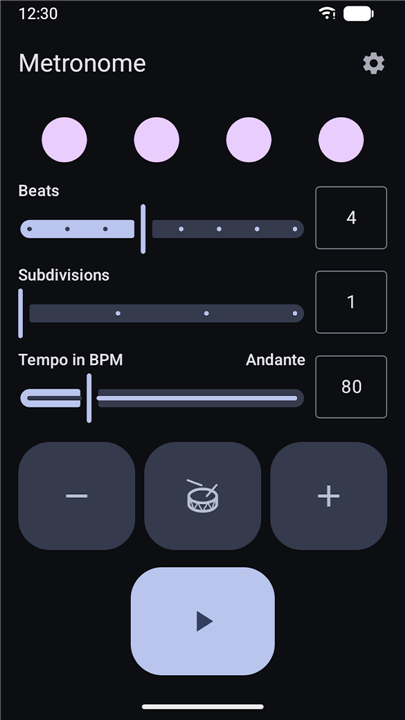
2. Light and Dark Themes:
• Adapt the interface to your environment, whether practicing in a brightly lit studio or performing on a dim stage.
3. Sleek and Minimalist Layout:
• Enjoy an intuitive design that prioritizes ease of use, allowing you to start practicing with just a single tap.
Privacy and User Experience
1. No Advertisements:
• Practice without any interruption.
• There are no intrusive pop-ups or banner ads to break your focus.
2. No Trackers:
• Your data remains entirely your own.
• The application operates privately without monitoring your usage or collecting personal information.
3. Zero Annoyances:
• No paywalls, no subscription prompts, and no unnecessary notifications.
• This is a pure, ready-to-use tool built solely to support your musical journey.
• Enjoy your practice sessions.
FAQ
Q: How do I change the time signature and add subdivisions?
A: Tap the “Signature” button, then select the desired numerator and denominator (e.g., 4/4, 6/8). After setting the signature, press “Subdivision” and choose from eighth‑notes, triplets, sixteenth‑notes, or any custom division you need.
Q: Can I set a tempo without manually entering a BPM number?
A: Yes. Use the Tap Tempo feature: simply tap the large central button along with the rhythm of the music you’re listening to. After a few taps the app calculates and displays the BPM automatically.
Q: What are “Gap Ticks” and how can I use them?
A: Gap Ticks mute the audible click on selected beats or whole measures. Activate the “Gap” toggle, then choose which beats or measures to silence. This is useful for training internal pulse and for practicing fills or rests without a constant click.
Version History
v2.2.0——3 Aug 2026
Simple and beautiful metronome Download the latest version of Metronome to enjoy new features and updates immediately!
*2.2.0
• Fixed status bar icons not matching the app's theme
• Added Arabic, Hindi, Italian, Japanese, Korean and Polish translations
• Added Traditional Chinese translations for Taiwan and Hong Kong
• Show full license texts for third-party licenses
*2.1.1
- Fixed tempo input field clipping at large font sizes
- Fixed crash when opening links on devices without a browser or email app
- Improved notification behavior
*2.1.0
• Fixed crash when starting the metronome from the background
• Fixed tick notifications being out of sync with the audio
• Improved tick visualization
Minor bug fixes and improvements. Install or update to the newest version to check it out!