Tactile Clock
Discover Time Through Touch
• Experience a revolutionary way to track your day.
• Tactile Clock transforms your Android device into a discreet, intuitive timepiece that communicates through haptic feedback, allowing you to know exactly what time it is without ever glancing at a screen.
Effortless Activation
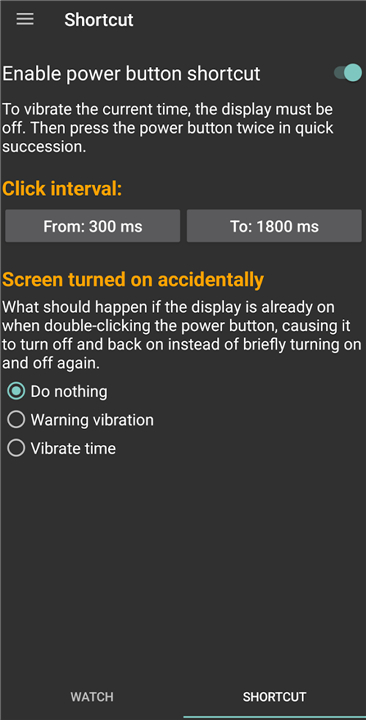
• Access the time instantly by double-clicking your device power button while the screen is locked.
• Use a steady, deliberate rhythm to ensure the system recognizes your request without turning on the display.
• Maintain complete privacy and save battery life by keeping your screen dark.
An Intuitive Haptic Language
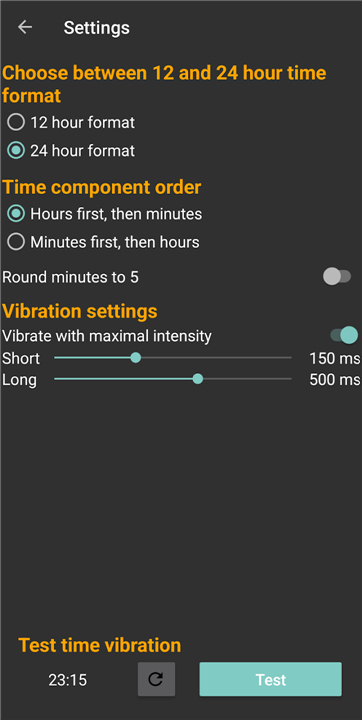
• Short vibrations represent the number one.
• Long vibrations represent the number five.
• Two long vibrations signify a zero.
• For maximum efficiency, leading zeros in hours and minutes are automatically omitted.
Precision Through Patterns
• Short pauses separate pulses within a single digit.
• Medium pauses distinguish one digit from the next.
• Long pauses clearly divide hours from minutes, ensuring you never misinterpret the signal.
Advanced Features for Total Control
Tactile Clock is designed to integrate perfectly into your daily routine:
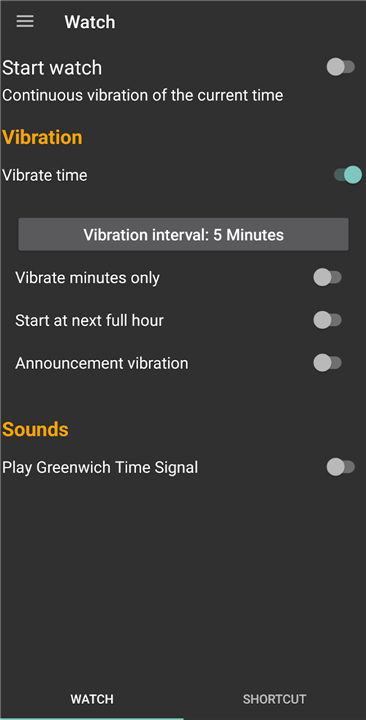
• Automated Updates: Stay on track with periodic vibration alerts set to your preferred intervals—every hour or every few minutes.
• Acoustic Precision: Enable the Greenwich Time Signal feature to hear a familiar radio-style chime at the top of every hour.
• Custom Tasker Support: Power users can link the time-vibration function to any hardware button supported by Tasker via the Plugin menu.
• Versatile Controls: Personalize the app’s behavior when the screen is active. You can choose to receive a subtle warning vibration or hear the time even while using your phone.
• Reliability First: The app is designed to launch automatically upon system reboot, ensuring you are never without your tactile assistant.
FAQ
Q: How do I check the time using Tactile Clock?
A: It is incredibly easy to use. When your phone screen is locked and dark, just double-click your device's power button. By using a steady, deliberate rhythm, the system will recognize your request instantly without ever turning on your display.
Q: Will checking the time this way turn on my phone screen?
A: Not at all. Tactile Clock is designed to keep your screen completely dark when you check the time. This is excellent for keeping your time-checks totally private while saving your precious battery life.
Q: How does the vibration language work for reading numbers?
A: The app uses a very simple and intuitive vibration code. A short vibration represents the number one, while a long vibration represents the number five. If you feel two long vibrations back-to-back, that stands for the number zero.
Version History
v2.6.2——24 Aug 2026
Get silent, haptic time alerts with the Tactile Clock app. Know the exact time via discreet vibration patterns without looking at your screen. Download the latest version of Tactile Clock to enjoy new features and updates immediately!
*2.6.2
Add support for Android 17
*2.6.1
*Add support for Android 17
*2.6.0
- Add Tasker integration
- Add Ukrainian translation