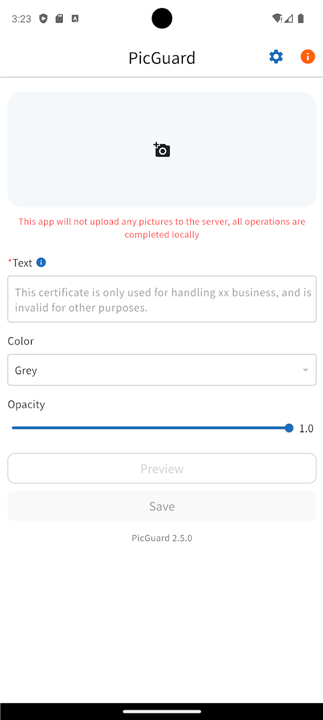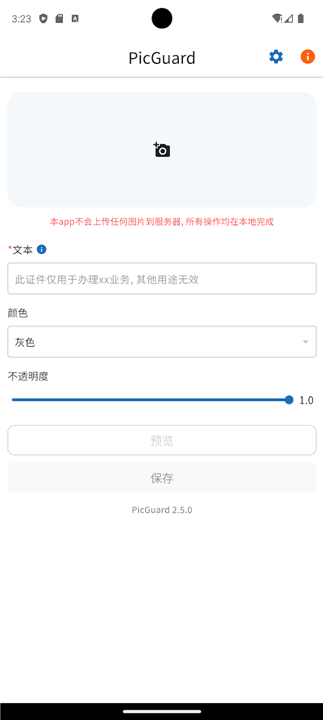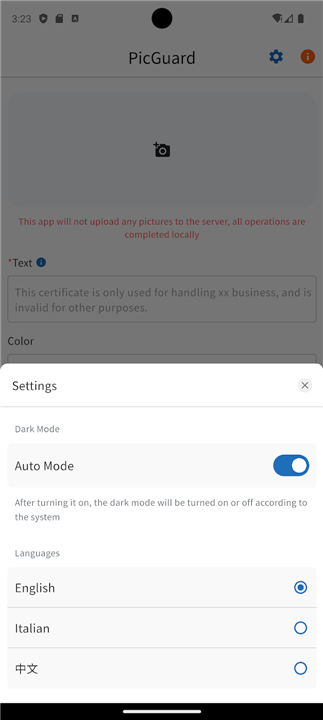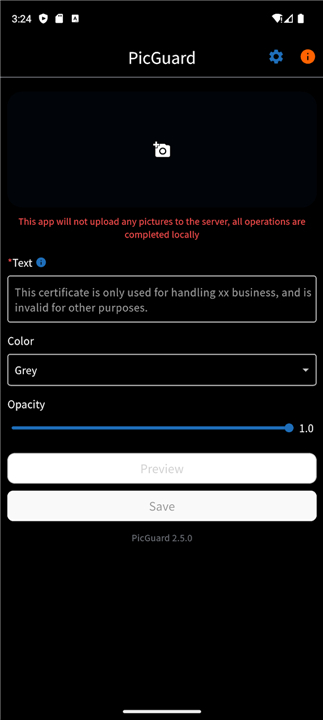
PicGuard
Comprehensive Photo Protection & Personalization
• PicGuard is a purpose‑built application that lets you safeguard your digital images while giving you full control over their visual branding.
• By adding customizable watermarks, you protect intellectual property, deter unauthorized use, and preserve personal privacy.
Core Features
1. Watermark Creation
• Insert text, logo, or QR‑code watermarks in a single click.
• Adjust font style, size, and placement (corner, center, or custom coordinates).
2. Customization Controls
• Choose any color from a full RGB palette.
• Set opacity from 0 % (transparent) to 100 % (solid) for subtle or prominent markings.
• Apply multiple layers of watermarks to the same image if needed.
3. Privacy Protection
• Strip EXIF metadata automatically to prevent leakage of location, device, and other sensitive details.
• Encrypt image files with AES‑256 before sharing or storing them in the cloud.
4. Batch Processing
• Process dozens or hundreds of photos simultaneously, preserving folder hierarchy.
• Save preset configurations for recurring projects.
Cross‑Platform Availability
• Web – Fully functional browser version (no installation required).
• Mobile – Native iOS and Android apps optimized for on‑the‑go editing.
• Desktop – Windows, macOS, and Linux clients with drag‑and‑drop interface.
All three versions sync via cloud storage, ensuring your watermark settings are consistent across devices.
Open‑Source & Community‑Driven
• Released under the MIT license, the source code is freely available on GitHub.
• Continuous contributions from developers worldwide bring regular bug fixes, new features, and performance upgrades.
• Community forums and issue trackers provide rapid support and idea exchange.
Getting Started
• Visit the PicGuard website or your app store and download the version that matches your device.
• Create a free account (optional) to enable cloud sync and access preset templates.
• Import your photos, configure watermark parameters, and hit “Apply.”
• Export the protected images or share them directly to social platforms.
Take Control Today
• Download PicGuard now and empower yourself with industry‑grade security and personalization for every photo you own—without cost, without compromise.
FAQ
Q: What types of watermarks can I create with PicGuard?
A: PicGuard offers versatile watermarking options, allowing you to insert custom text, visual logos, or interactive QR codes with a single click. You can fully customize these elements by adjusting the font style, size, and precise placement, whether you want them neatly in a corner, centered, or set to specific custom coordinates.
Q: How much control do I have over the visual style and transparency of my watermarks?
A: You have total design freedom over your watermarks. PicGuard includes a full RGB color palette to match your exact brand identity, along with a flexible opacity slider that ranges from 0% (completely transparent) to 100% (solid). This makes it easy to choose between subtle, discreet markings or bold, prominent branding.
Q: Can I apply more than one watermark layer to a single image?
A: Yes, PicGuard supports multi-layer watermarking on individual images. This means you can combine different elements seamlessly, such as placing a visual brand logo in one corner while adding a copyright text string or a QR code elsewhere on the very same photo.
Version History
v5.7.2.481——25 Aug 2026
Protect and brand your images with PicGuard. Add custom watermarks, remove EXIF data, and encrypt files with batch processing. Download the latest version of PicGuard to enjoy new features and updates immediately!
*5.7.2.481
Minor bug fixes and improvements. Install or update to the newest version to check it out!
*5.7.1.480
Minor bug fixes and improvements. Install or update to the newest version to check it out!
*5.7.0.479
Minor bug fixes and improvements. Install or update to the newest version to check it out!