RemindMe!
Problem Statement
• You’ve ever needed a guarantee that a future event will be remembered, not just a fleeting notification.
• Standard reminders deliver a brief sound, a banner, or an email that can be easily buried among dozens of daily alerts.
• The result: important tasks, appointments, or deadlines slip through the cracks.
Why Current Reminders Miss the Mark
• Transient alerts: They disappear after a few seconds, leaving no lasting visual cue.
• Notification overload: Modern devices generate hundreds of pushes each day, making any single reminder easy to ignore.
• Lack of scheduling depth: Most apps only support “remind me in X minutes,” not “alert me on a specific date and time months from now.”
The Desired Feature
• An ability to set an alarm that will fire at an exact future day and time, behaving like a traditional alarm clock rather than a typical reminder.
RemindMe! – The Solution
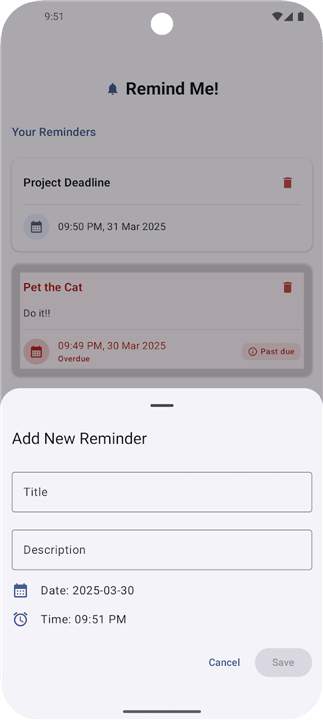
• Future‑date alarm: Choose any calendar date and precise time; the app guarantees an audible and visual alert at that moment.
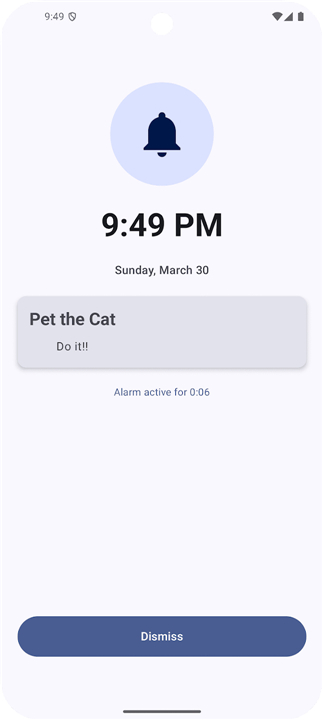
• Persistent notification: When the alarm triggers, a full‑screen activity appears, ensuring you cannot miss it.
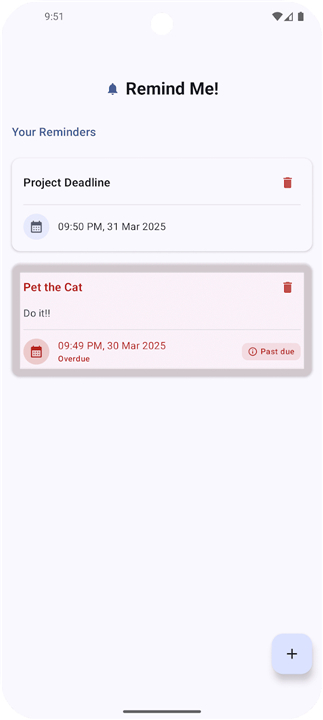
• Simple UI: Intuitive pickers for date, time, and optional label; one‑tap scheduling.
• No extra clutter: The alarm works independently of the system’s notification shade, avoiding competition with other alerts.
Technical Implementation
• SYSTEM_ALERT_WINDOW permission:
+ Required because Android prevents background services from launching activities directly.
• Transparent overlay trick:
+ A 500 ms transparent system overlay is drawn, satisfying the permission requirement.
+ Immediately after rendering, the alarm activity is launched.
+ The overlay is dismissed shortly thereafter, leaving only the alarm UI visible.
• This approach complies with Android’s security model while delivering a reliable alarm experience.
Key Benefits
• Never lose a critical future task to notification noise.
• Treat any future event with the same urgency as a morning alarm.
• Minimal setup and no reliance on third‑party reminder services.
RemindMe! gives you the confidence that the important things you set for the future will be noticed—exactly when you need them.
FAQ
Q: Can I set a reminder for a specific time months from now?
A: Absolutely, the core strength of RemindMe! is its ability to handle long-term scheduling. Unlike many basic apps that focus on short-term tasks or hourly intervals, our interface allows you to pick any specific calendar date and precise time in the future so that your reminder is ready whenever you need it.
Q: Will I be able to see my reminder even if I’m not looking at my phone?
A: Yes, the app is designed to fire an audible alert alongside a full-screen visual activity. Because it functions like an alarm clock, it is specifically configured to grab your attention effectively, even if your phone has been sitting idle for a while.
Q: Why does the app require the SYSTEM_ALERT_WINDOW permission to run?
A: Android has strict security rules that prevent background applications from jumping into the foreground on their own. This permission is the necessary technical key that allows our app to display the full-screen alarm activity over other applications, ensuring that you never miss your important alerts.
Version History
v1.3.0——24 Aug 2026
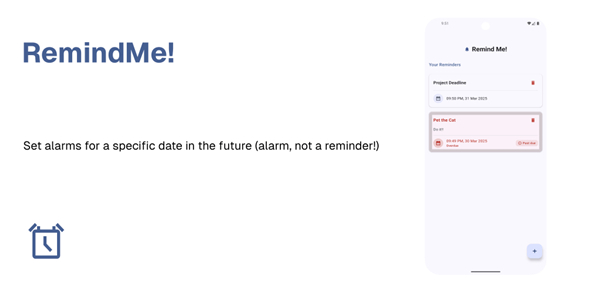
Set alarms for a specific date in the future (alarm, not a reminder!) Download the latest version of RemindMe! to enjoy new features and updates immediately!
*1.3.0
- move strings out to enable i18n
- repeat every x minutes / hours / days
- implement undo feature to avoid accidental removal of alarms
*1.2.2
Minor bug fixes and improvements. Install or update to the newest version to check it out!
*1.2.1
Minor bug fixes and improvements. Install or update to the newest version to check it out!