qBitController
Transform Your Torrent Experience
• Take complete command of your digital downloads with qBitController—a free, open-source management application designed to elevate how you interact with your qBittorrent servers.
• Experience the freedom of controlling your entire media ecosystem through a single, powerful, and intuitive interface.
Effortless Multi-Server Management
• Unify your network by connecting to and switching between multiple qBittorrent instances with absolute ease.
• Stay continuously informed with live monitoring of server health, connection status, and real-time transfer activity.
Precision Control and Complete Visibility
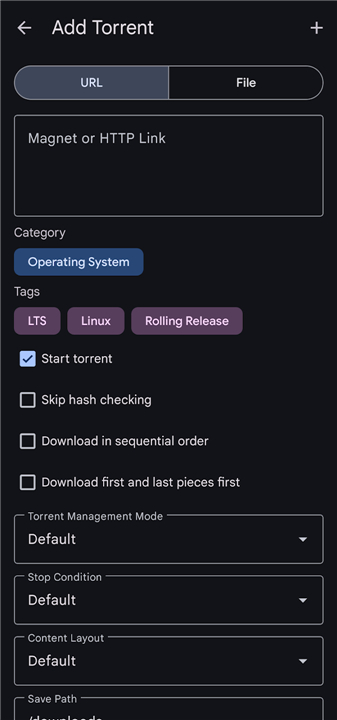
• Instantly initiate downloads using simple magnet links or local torrent files.
• Take direct action over your queue with full command to pause, resume, force-start, recheck, or delete torrents at a moment's notice.
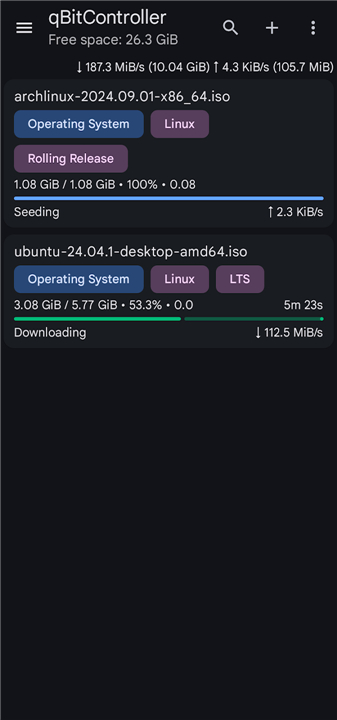
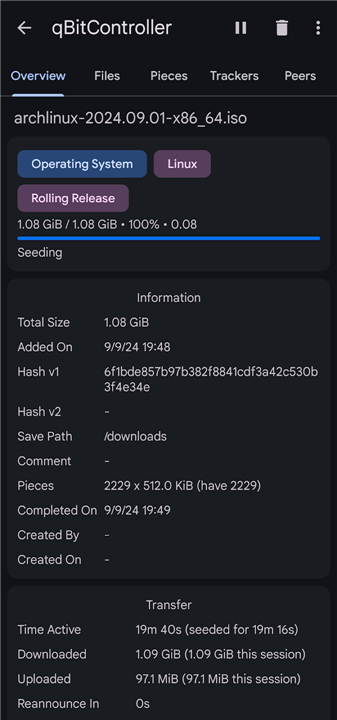
• Unlock deep operational insights by analyzing detailed peer metrics, piece availability, transfer speeds, and file lists.
Smart Library Organization
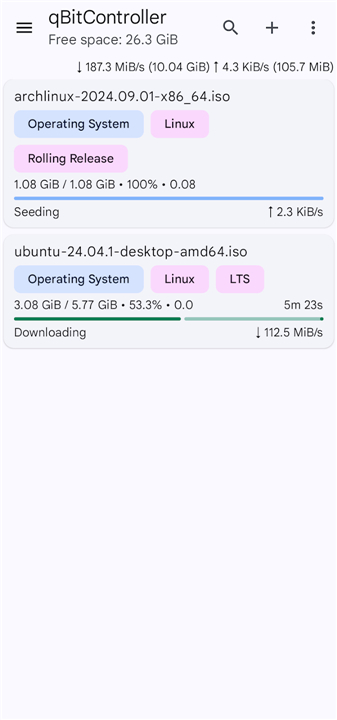
• Customize your perspective by sorting your torrent list dynamically by file name, total size, progress, or bandwidth usage.
• Focus on what matters most using smart filters for completion status, active trackers, categories, and custom tags.
• Design a personalized digital library by easily creating, editing, and managing your own categories and tags.
Automated Discovery and Search
• Harness the power of an integrated RSS reader to track external content feeds automatically.
• Set custom automation rules to seamlessly download matching content the moment it goes live.
• Expand your reach with built-in torrent search functionality, allowing you to discover and add media without ever leaving the app.
FAQ
Q: Can I manage several qBittorrent servers at the same time?
A: Absolutely. qBitController was built for multi‑server environments. Each server appears as a separate tab or pane, and you can view real‑time health data—such as uptime, connection count, and current transfer rates—for all of them simultaneously. Switching the active view is instantaneous, letting you focus on the server that needs attention.
Q: What kind of real‑time information does qBitController show?
A: The dashboard displays live metrics for each connected server: total download and upload speeds, number of active torrents, seed‑to‑leech ratios, connection status, and CPU/memory usage (if the server provides it). You can also drill down into any individual torrent to see peer lists, piece availability, and detailed speed graphs that update every second.
Q: How do I add a new torrent using qBitController?
A: Adding a torrent is straightforward. Click the “Add Torrent” button, then either paste a magnet link, browse for a .torrent file on your computer, or drag‑and‑drop the file into the window. Once you confirm the settings—such as download location, priority, and tags—the torrent is queued on the selected server instantly.
Version History
v2.2.1——20 Aug 2026
Control qBittorrent from your Android device Download the latest version of qBitController to enjoy new features and updates immediately!
*2.2.1
Minor bug fixes and improvements. Install or update to the newest version to check it out!
*2.2.0
Minor bug fixes and improvements. Install or update to the newest version to check it out!
*2.1.0
Minor bug fixes and improvements. Install or update to the newest version to check it out!