WiFi Widget
Overview
• Take control of your wireless network with WiFi Widget, the elegant, open-source tool designed to bring clarity to your connectivity.
• No more digging through confusing system settings.
• This beautifully crafted, ad-free widget places your essential network information exactly where you need it: right on your home screen.
Tailored to Your Style
1. Design Harmony:
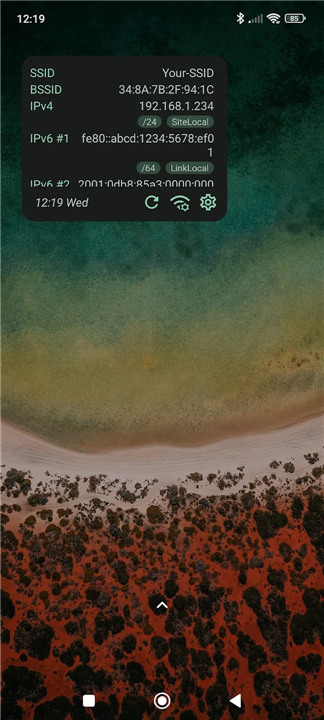
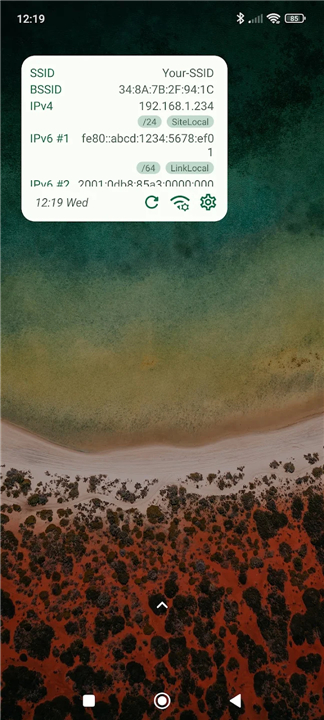
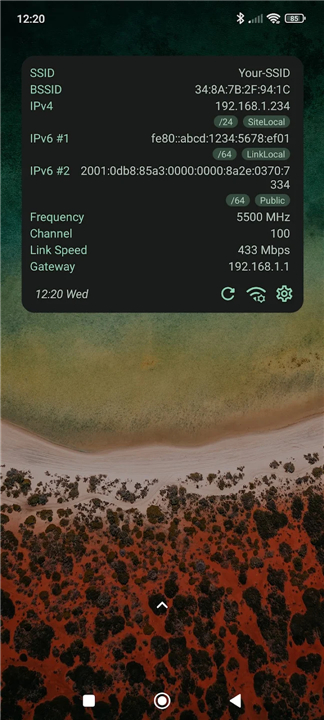
• Choose between modern light and dark themes to match your device's aesthetic.
2. Complete Layout Control:
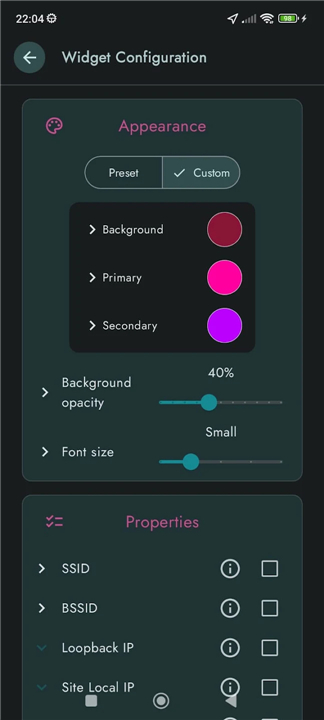
• Adjust widget size, background opacity, and color schemes to seamlessly blend with your wallpaper.
3. Personalized Display:
• Select exactly which buttons appear and set preferred data refresh intervals to suit your needs.
Network Insights at a Glance
1. Connection Diagnostics:
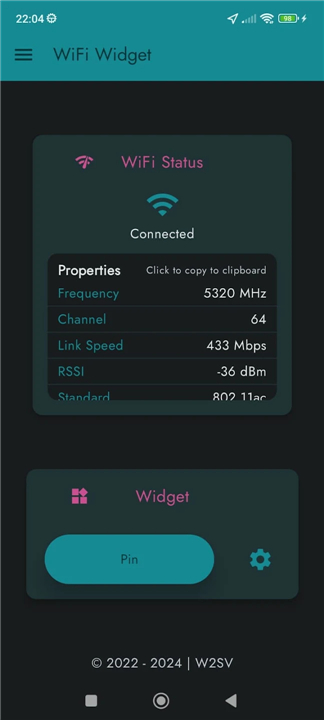
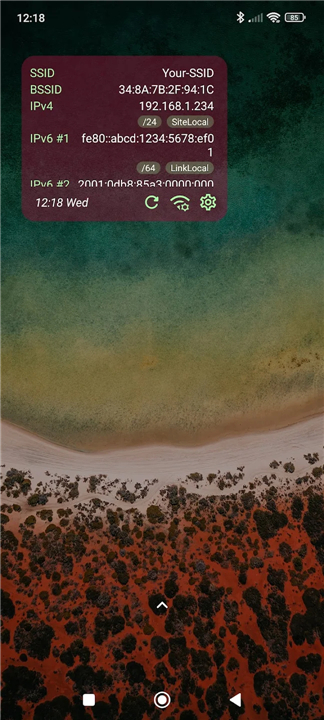
• Quickly view your SSID, BSSID, channel, frequency, and current link speed.
2. Advanced IP Tracking:
• Monitor public, global unicast, multicast, and local IP addresses, with the ability to toggle individual details on or off.
3. Core Configuration:
• Keep tabs on your gateway, DNS, and DHCP setups instantly.
Built with Integrity
1. Completely Ad-Free:
• Enjoy a clean, uninterrupted user experience without tracking or intrusive advertisements.
2. Open and Transparent:
• Built for the community, the entire project is open-source and customizable.
Download WiFi Widget today
• Experience the beauty of effortless network management.
• Elevate your mobile experience and stay informed.
Project Information
• Source Code: Available under the GPL-3.0 license at https://github.com/w2sv/WiFi-Widget
• Credits: Logo foreground by Hilmy Abiyyu Asad (licensed under Creative Commons Attribution 3.0 Unported)
FAQ
Q: Is the widget's appearance customizable to match my phone's theme?
A: You have full control over the design harmony of the widget, including the ability to choose between modern light and dark themes. Beyond simple themes, you can adjust the background opacity and color schemes to ensure the widget blends perfectly with your specific wallpaper and icon layout.
Q: Can I change the size of the widget on my home screen?
A: The app provides complete layout control, allowing you to resize the widget to fit your personal preference or screen real estate. Whether you want a small, discrete box or a larger display with more detailed information, the choice is entirely up to you.
Q: Does WiFi Widget contain any advertisements or hidden tracking?
A: One of the core principles of this project is integrity, which is why the app is completely ad-free. You can enjoy a clean and uninterrupted user experience without worrying about intrusive advertisements or background tracking scripts monitoring your activity.
Version History
v1.8.1——29 Jul 2026
Configurable widget for the monitoring of your WiFi connection details Download the latest version of WiFi Widget to enjoy new features and updates immediately!
*1.8.1
- Enable precise custom color picking by migrating to HSL picker with RGB sliders
- Set widget button touch target size to 48 px for better accessibility
- Change splash screen background color
*1.8.0
**Big app rework**
Lots of UI, stability & performance improvements
*1.7.2
- Fix: blank widget on Pixels with Android 16 build BP3A.250905.014
- Show wifi details for inactive connected networks
- Make bottom bar button larger
- Enable edge-to-edge on widget
- Set default font size to medium
Note: you will need to set up a new widget