WG Tunnel
Why Choose WG Tunnel?
• WG Tunnel blends simplicity with strength, delivering a WireGuard VPN client that works for everyday users and power‑users alike.
• It lets you automate connections, protect privacy, and stay in control without complexity.
Feature Highlights
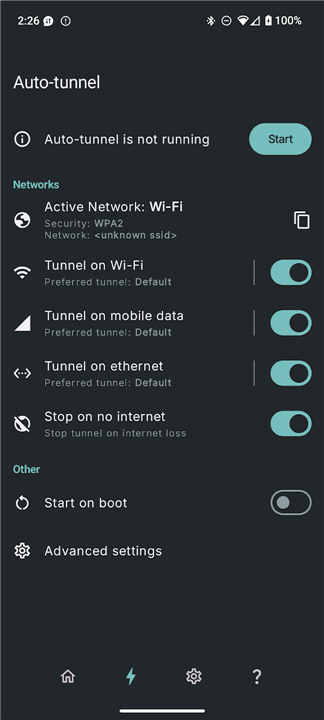
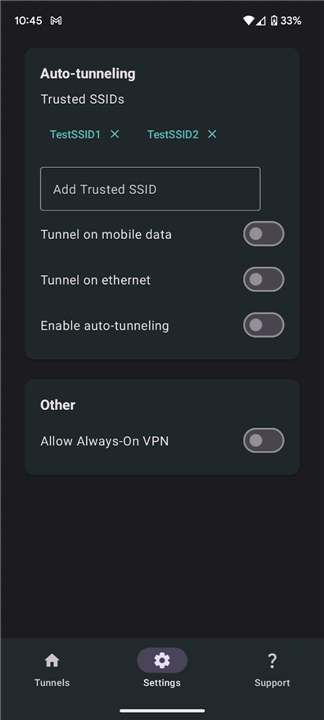
• Auto‑Tunneling – Starts tunnels automatically based on the network you’re using.
• Deferred Endpoint Bootstrapping – Resolves and updates peers after the tunnel is up for reliable, leak‑free startups.
• Handshake Monitoring – Gives real‑time feedback on tunnel health.
• AmneziaWG Support – Full compatibility with AmneziaWG 2.0 for strong censorship resistance.
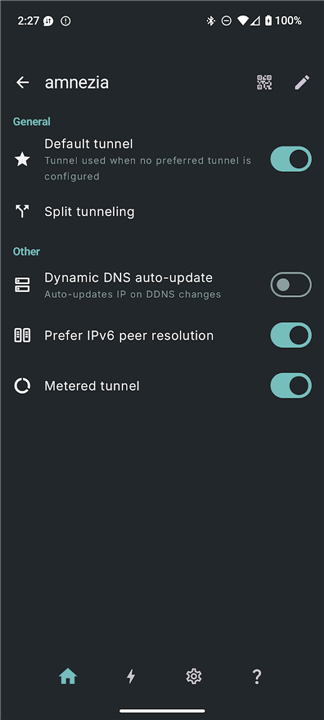
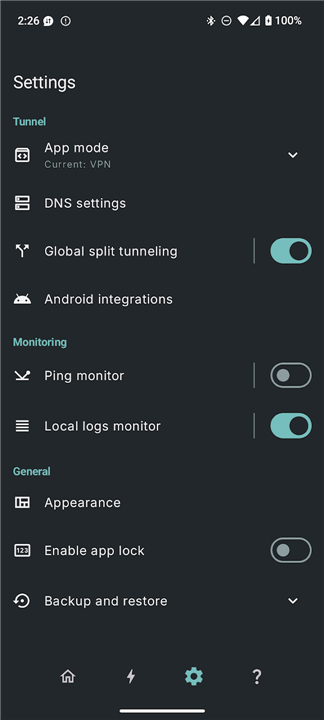
• Split Tunneling – Routes selected apps or traffic through the VPN while the rest goes direct.
• Local Proxy Mode – Exposes the tunnel via a local SOCKS5 or HTTP proxy for browsers or firewall tools.
• Lockdown Mode – In‑app kill switch that blocks all traffic when the tunnel drops.
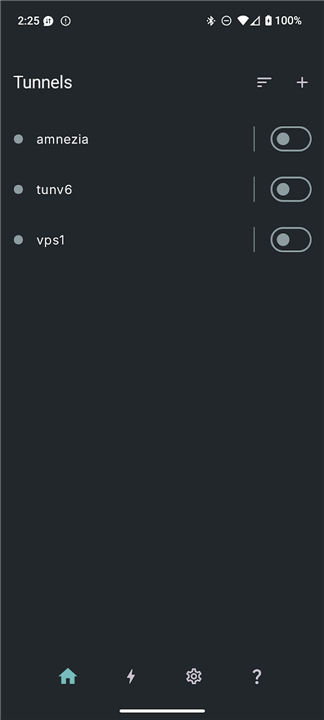
• Quick Controls – Settings tile and home‑screen shortcuts for instant toggling.
• Remote Control Support – Intent‑based automation for tools like Tasker.
• Dynamic DNS Handling – Detects and updates server IP changes without a restart.
• IPv6 Endpoints – Switches to IPv6 when available, falls back to IPv4 seamlessly.
• Android TV Compatibility – Nearly all features work on Android TV devices.
Secure Browsing
• WG Tunnel gives you the confidence to stay private, the flexibility to tailor your traffic, and the ease of use that makes VPN protection feel effortless.
FAQ
Q: Who can benefit most from using WG Tunnel?
A: Both everyday users who want hassle‑free privacy and power‑users who need fine‑grained control will find value in WG Tunnel. Its friendly interface makes it easy to connect with a tap, while options like intent‑based automation and local proxy mode satisfy those who like to tinker.
Q: How does Auto‑Tunneling work in practice?
A: When you enable Auto‑Tunneling, the app monitors the networks you join—such as your home Wi‑Fi, cellular data, or a public hotspot—and automatically starts the appropriate VPN tunnel based on rules you set. This means you never have to remember to turn the VPN on when you leave a trusted network.
Q: What is Deferred Endpoint Bootstrapping and why does it matter?
A: Deferred Endpoint Bootstrapping delays the resolution of peer addresses until after the tunnel is up. This prevents leaks that can happen if the app tries to contact a server before the encrypted connection is ready, ensuring a clean, secure start every time.
Version History
v5.5.0——25 Aug 2026
WG Tunnel is a WireGuard VPN client app that automates and manages secure connections. Download the latest version of WG Tunnel to enjoy new features and updates immediately!
*5.5.0
Minor bug fixes and improvements. Install or update to the newest version to check it out!
*5.4.0
Minor bug fixes and improvements. Install or update to the newest version to check it out!
*5.3.1
Minor bug fixes and improvements. Install or update to the newest version to check it out!