WiFi Analyzer (open-source)
Overview
• Take control of your wireless environment and unlock the full potential of your network.
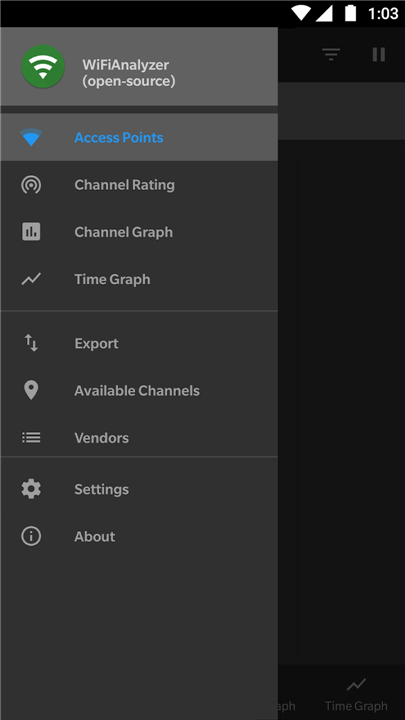
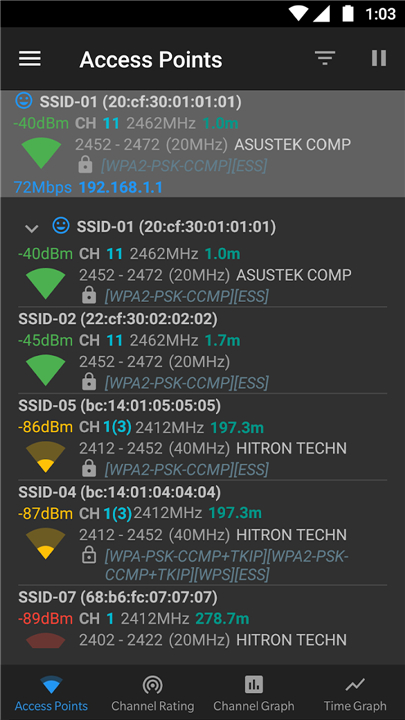
• WiFi Analyzer (open-source) empowers you to optimize your connection by mapping surrounding signals, measuring strength, and finding the clearest channels.
Why Choose WiFi Analyzer?
1. Community-Driven Innovation:
• Developed entirely by passionate volunteers, this project represents the best of collaborative, open-source technology.
2. Uncompromising Privacy:
• Your data belongs to you.
• Because the app requires zero internet permissions, you can trust that your personal information never leaves your device.
3. Minimalist Permissions:
• The app only requests the absolute minimum access required to perform its analysis.
4. Honest and Clean:
• Enjoy a completely free utility with no advertisements, no data tracking, and no hidden agendas.
Key Features
1. Real-Time Visualization:
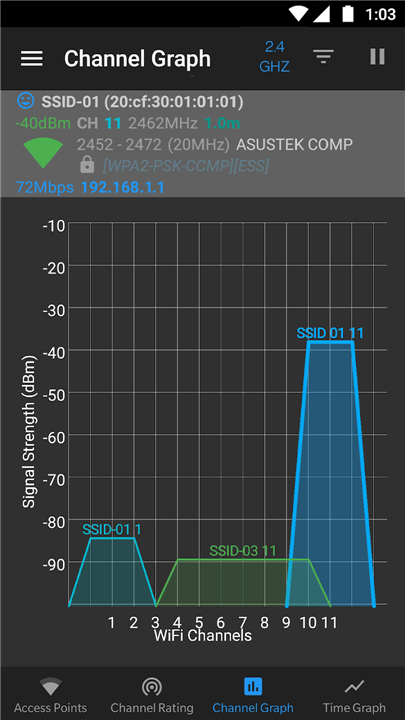
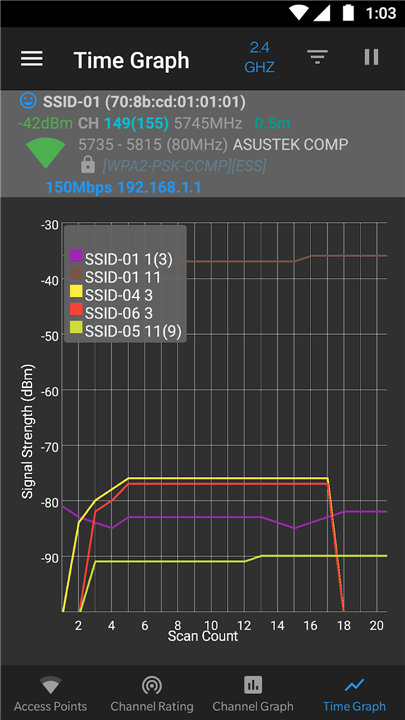
• View dynamic graphs of signal strength and track access point performance over time.
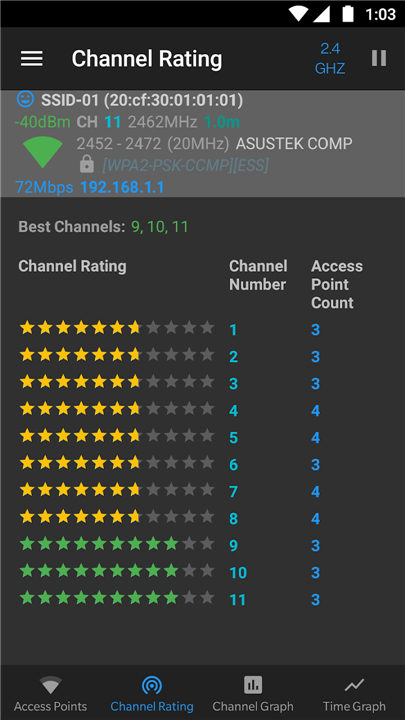
2. Smart Channel Rating:
• Easily identify the least crowded channels to maximize your network speed.
3. Comprehensive Band Support:
• Compatible with 2.4 GHz, 5 GHz, and 6 GHz bands, as well as advanced HT/VHT detection.
4. Distance Estimation:
• Instantly estimate your distance to nearby access points.
5. Advanced Filtering:
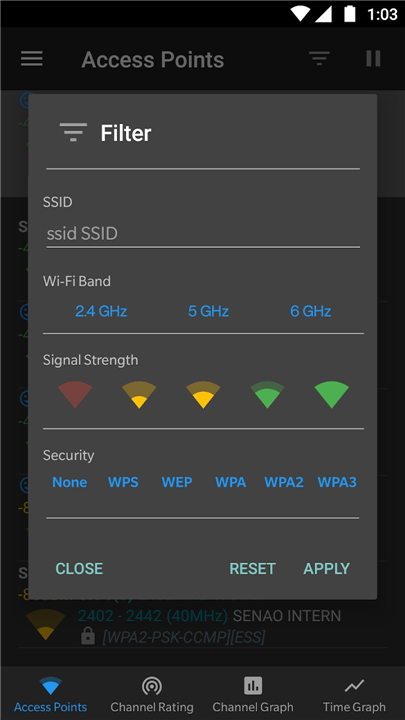
• Customize your scans by filtering by Wi-Fi band, security type, signal strength, or SSID.
6. Tailored Interface:
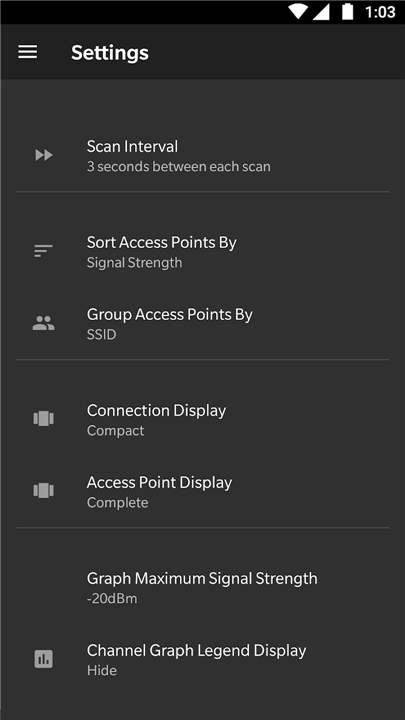
• Switch between dark, light, or system themes, and view access points in either complete or compact lists.
Essential Tips for Android Users
1. Location Services:
• Android 9.0 and above requires both location permissions and location services enabled to perform Wi-Fi scans.
2. Scan Throttling:
• For smoother performance on Android 10 and above, you can disable scan throttling by navigating to Settings, Developer Options, Networking, and toggling off Wi-Fi Scan Throttling.
Helpful Resources
• Discover features and usage tips: https://vremsoftwaredevelopment.github.io/WiFiAnalyzer
• Read frequently asked questions: https://vremsoftwaredevelopment.github.io/WiFiAnalyzer/#faq
• Contribute to development or report bugs: https://vremsoftwaredevelopment.github.io/WiFiAnalyzer/#feedback
FAQ
Q: Are there any hidden fees, ads, or data tracking in WiFi Analyzer?
A: Not at all. WiFi Analyzer is a completely free utility built on an honest and clean philosophy. It contains no advertisements, conducts no data tracking, and has no hidden agendas.
Q: Who is responsible for developing WiFi Analyzer?
A: The app is built on collaborative open-source technology and is developed entirely by passionate volunteers who are dedicated to community-driven innovation.
Q: How does the Smart Channel Rating feature work to improve my speed?
A: The Smart Channel Rating feature evaluates your environment to help you easily identify the least crowded channels. By switching your network to these clearer channels, you can maximize your overall connection speed.
Version History
v3.3.1——27 Jul 2026
Optimize your WiFi network using WiFi Analyzer (open-source) Download the latest version of WiFi Analyzer (open-source) to enjoy new features and updates immediately!
*3.3.1
- Update translations
- OUI DB update
- Dependencies update
- Bug fixes, performance and UI improvements
*3.2.2
- Android 16 (Baklava) - API 36 Support
- Update translations
- Allow graph scalability
- OUI DB update
- Dependencies update
- Bug fixes, performance and UI improvements
*3.2.1
- Android 15 (Vanilla Ice Cream) - API 35 Support
- WiFi7 - 320MHz
- OUI DB update
- Dependencies update
- Bug fixes, performance and UI improvements