Universal Installer
The Android package manager that does what the system can’t
• Universal Installer gives you a premium, Material 3‑styled tool for sideloading split APKs, bundled archives with OBB data, and performing silent installs—all in one place.
Expressive & Customizable
• Fluid dialogs with bouncy‑spring animations (inspired by InstallerX‑Revived)
• High‑contrast orange theme by default for a bold, professional look
• Installer Profiles: save and reuse flag combinations, spoofed installers, and target‑user settings
Supported Formats
• APK – standard Android packages
• APK+ – advanced split bundles
• APKS – split‑APK bundles
• XAPK – compressed split bundles with OBB (APKPure format)
• APKM – split bundles (APKMirror format)
Install From Anywhere
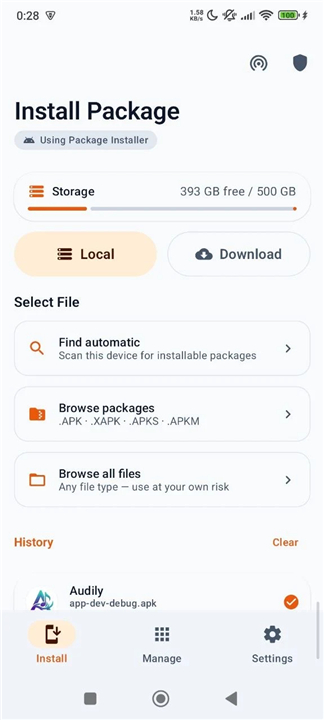
• Local file picker: auto‑scan, browse, or full‑browser mode
• Remote download: paste a URL; the file lands in Download/UniversalInstaller/ with its real name
• Download history: reinstall, copy source URLs, or manage files without digging through folders
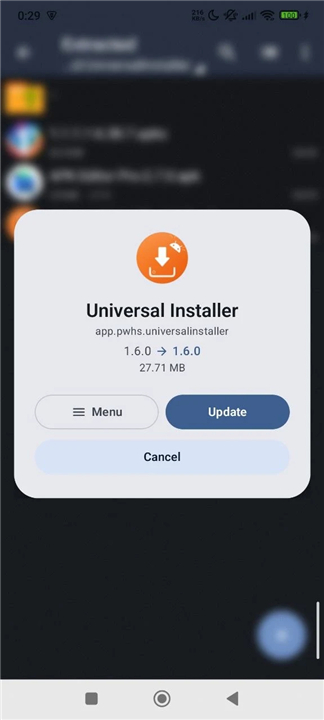
• App integration: open APKs from Chrome, Gmail, or Telegram even when the link lacks an extension
Preview & OBB Support
• See name, icon, version, package, size, SDK, CPU, languages, permissions, split count, and OBB count before you install
• Bundled OBBs in XAPK/APKM are copied automatically to Android/obb/
• Attach standalone .obb files manually via the preview sheet
• Foreground worker continues copying if you leave the app, with progress notifications
• Smart fallback uses direct I/O, Shizuku, or SAF as needed
Power‑User (Root & Shizuku) Features
• Targeted user installs: work profile, Island, or all users at once
• Silent install/uninstall without system prompts
• Advanced flags: replace, allow downgrade, grant all permissions, bypass low‑SDK blocks
• Set install source: spoof the installer name so apps treat the sideload as a Play Store install
App Manager & Extractor
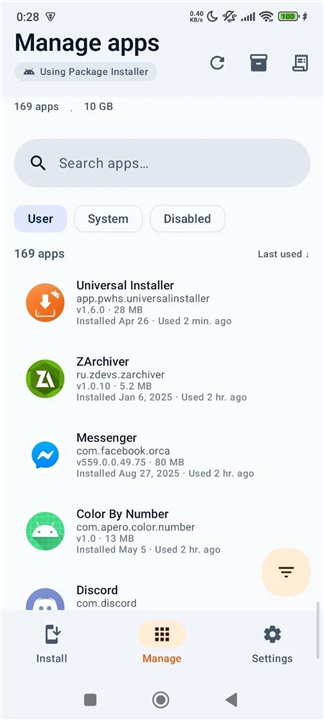
• Full list showing APK size, install date, and last‑used time
• Backup and extract APKs to storage
• Flexible sorting by name, size, date, or usage (asc/desc)
• Batch uninstall via long‑press selection
• Quick‑filter FAB for rapid sorting; long‑press to scroll to top
• Uninstall logs record success or failure reasons
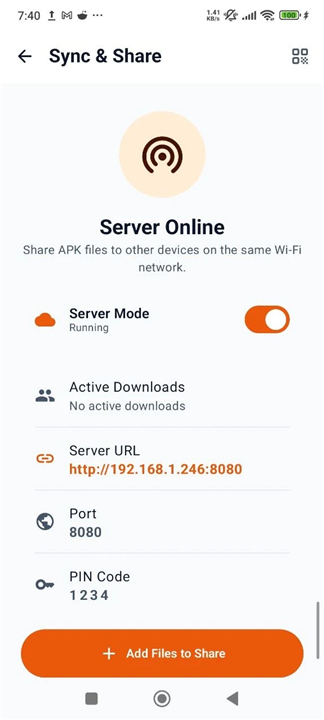
Sync & Share (LAN File Server)
• Built‑in HTTP server shares packages over local Wi‑Fi
• Web dashboard lets you download to PC or upload to your phone
• Real‑time transfer tracking inside the app
• PIN protection secures sharing sessions
Security & Privacy
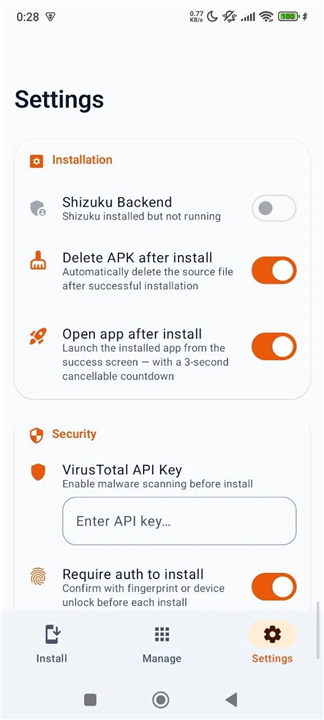
• VirusTotal hash lookup for every file; optional full upload (≤650 MB) for unknown files
• Clear verdicts: malicious, suspicious, harmless engine counts at a glance
• Offline‑first core functionality
• No ads, no tracking, fully open‑source
Device Utilities
• Storage overview shows free/total space on the install screen
• Detailed install‑history logs with success/failure and error reasons
• Progress notifications for downloads, installs, and OBB copying
• Multi‑language support (15+ languages)
Universal Installer turns every sideload into a smooth, secure, and inspiring experience—putting ultimate control of Android packages right at your fingertips.
FAQ
Q: Which file formats can Universal Installer install?
A: It supports standard APKs, split‑APK bundles (APKS), advanced split bundles (APK+), the APKPure XAPK format that includes OBB data, and the APKMirror APKM format. Essentially any package you encounter from popular APK repositories can be handled directly.
Q: How do I install an app from a local file using Universal Installer?
A: Open the app, tap the file picker button, and choose either auto‑scan, browse, or full‑browser mode to locate the APK, XAPK, or other supported file on your device. Once selected, the preview screen shows details like version, size, permissions, and OBB count; press Install to proceed.
Q: Can I install apps directly from a URL without downloading them first?
A: Yes. Paste a download link into the remote download field, and Universal Installer will fetch the file, save it to Download/UniversalInstaller/ with its original name, and then prompt you to install it. The download history lets you reinstall or share the same URL later.
Version History
v1.9.12——26 Aug 2026
Premium APK/XAPK installer with expressive animations, Shizuku & URL downloads. Download the latest version of Universal Installer to enjoy new features and updates immediately!
*1.9.12
- New: install through Dhizuku, alongside Shizuku, root and the system installer.
- New: block packages you never want installed.
- Install UI: choose dialog or bottom sheet, and confirm an install from the notification.
- VirusTotal: pick Normal or Strict, and see what a scan actually found.
- Failed installs can be dismissed, and Retry works again.
- Faster TV startup.
- Anonymous diagnostics so install failures can be fixed. Never records which apps you install; switch it off in Settings.
*1.9.11
- Add System Installer fallback when installation fails.
- Fix filename sanitization to allow parentheses.
- Fix visibility of background service apps.
- Fix root mode default installer.
*1.9.10
- Added Open App button in install history.
- Added configuration sheet for individual apps during batch install.
- Added pull-to-refresh down gesture.
- Improved Root engine setup and silent installation.
- Cleared batch selection cleanly when pressing the back button.
- Refined History card UI and improved fallback for apps without launcher intents.
- Keep Root engine picker selectable to allow access requests.