Gallery Go - Photos & Videos
Overview
• Unlock the true potential of your media with Gallery Go, an incredibly fast and lightweight gallery app.
• At just 3MB, it delivers a smooth, private, and powerful viewing experience on any Android device.
Smart Organization & Sharing
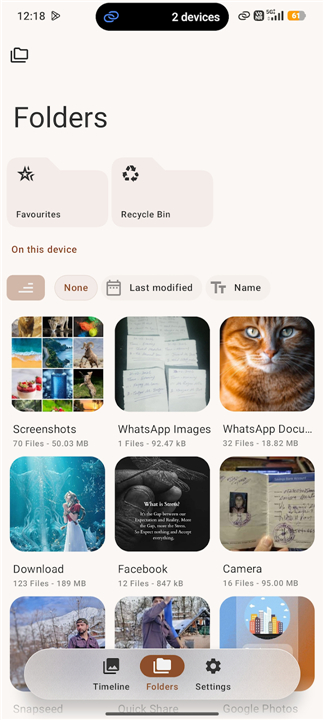
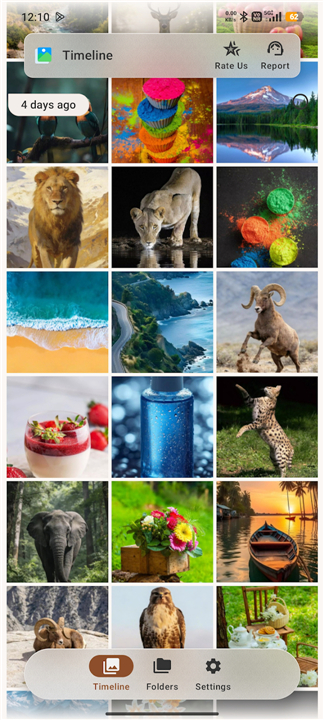
• Intuitive Sorting: Automatically organizes photos and videos by time and folder for effortless browsing.
• Instant Syncing: New media appears immediately without requiring a manual refresh.
• Favorites Hub: Save and access your most loved moments in one dedicated folder.
• Limitless Sharing: Send massive batches of files instantly with no arbitrary item limits.
Security & Peace of Mind
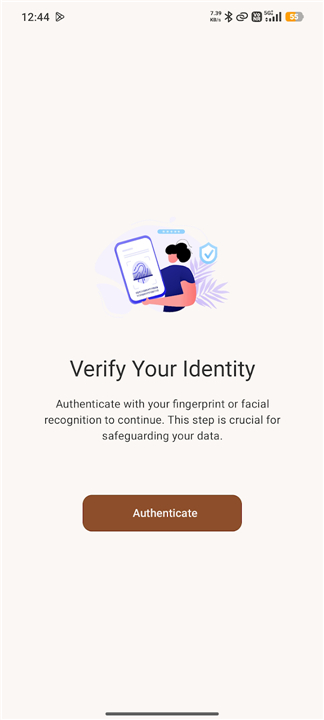
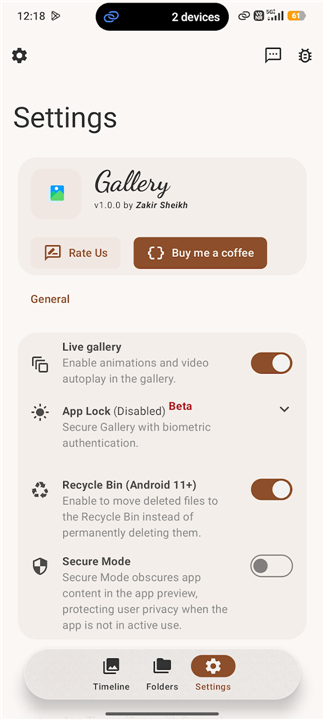
• App Lock: Secure your private media using a PIN, Pattern, or Fingerprint sensor with customizable lock timers.
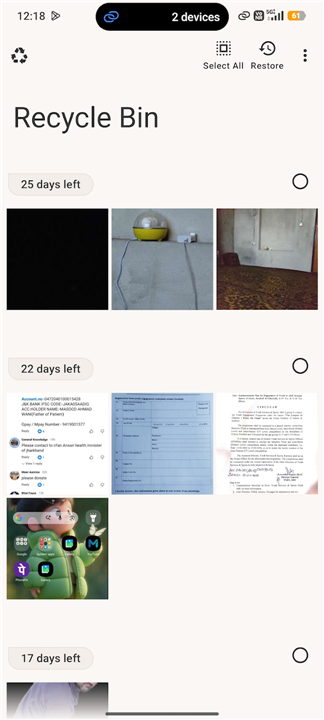
• Recycle Bin: Easily restore accidentally deleted files on Android 11 and above.
• Universal Storage: Access and browse media directly from external memory cards and USB drives.
Immersive Viewing & Customization
• Integrated HD Player: Watch high-definition videos and zoom up to 5x with simple pinch gestures.
• Personalized Layouts: Customize fonts, grid sizes, and dark mode settings to match your personal style.
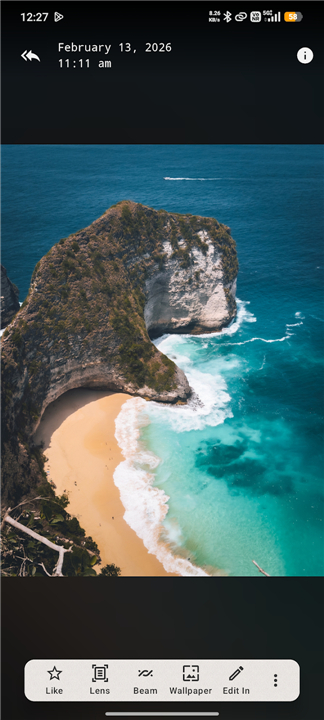
• Visual Search: Instantly identify and explore elements inside your photos using built-in Google Lens translation and search.
• Ambient Mode: Experience your memories in a beautiful, distraction-free showcase layout.
Upgrade your digital experience
• Download Gallery Go today to enjoy a faster, safer, and more beautiful way to celebrate your memories.
FAQ
Q: Is there a limit to how many files I can share at one time?
A: Not at all. Gallery Go offers limitless sharing, allowing you to select and send massive batches of files instantly. There are no arbitrary item limits to hold you back, so you can share entire events or holiday albums with your friends and family all at once.
Q: How can I secure my private photos and videos using the App Lock?
A: You can easily protect your personal media from prying eyes by enabling the built-in App Lock. This feature allows you to secure your gallery using a personalized PIN, a pattern, or even your device's fingerprint sensor. You can also customize the lock timers to decide exactly when the app should re-lock itself after you exit.
Q: What happens if I accidentally delete a photo or video?
A: Don't panic if you accidentally delete a precious memory. Gallery Go includes a built-in Recycle Bin for users running Android 11 and above. This safety net temporarily stores your deleted files, allowing you to easily browse through them and restore them back to your gallery with just a tap.
Version History
v1.0.9——25 Aug 2026
Get Gallery Go, the ultimate fast & lightweight Android photo gallery app. Secure your photos & videos with App Lock & smart sorting. Download the latest version of Gallery Go - Photos & Videos to enjoy new features and updates immediately!
*1.0.9
• bump version to 1.0.9 and UI refinements
*1.0.8
• [FEAT]: Add camera shortcut and update UI styling
• [REFACTOR]: update UI components and project URLs
• [FIX]: handle exceptions in app update flow
• [CHORE] build: update Gradle, SDK, and core dependency versions
*1.0.7
• CI: Remove Plus flavor artifacts from release workflow
• Docs: Update English "What's New" content
• Refactor: Move Settings navigation to the Files screen overflow menu
• Localization: Add Galician translations
• Chore: Update App Version and Dependencies