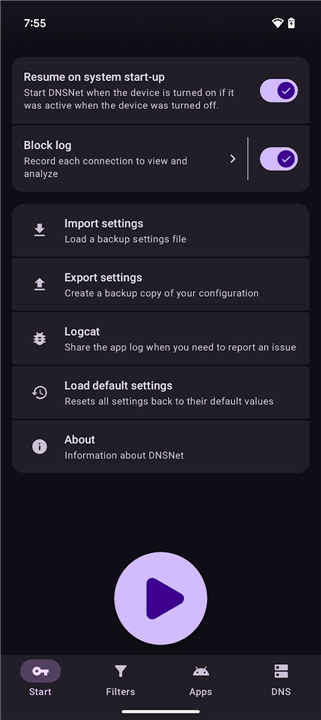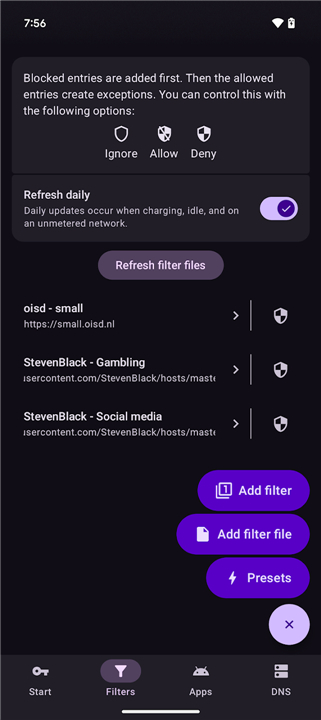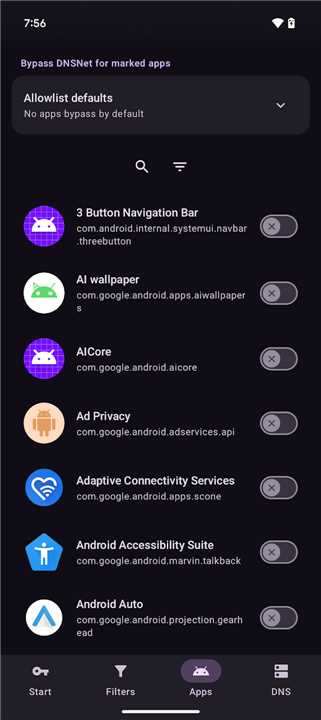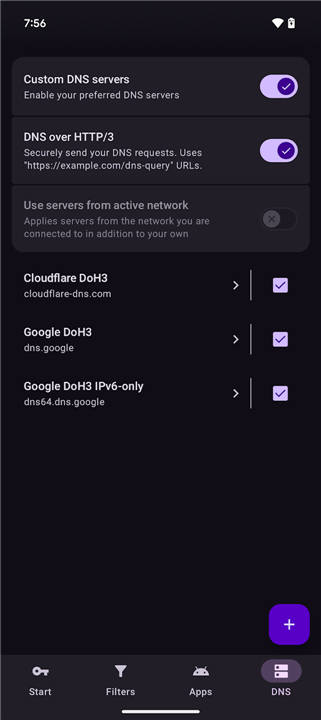
DNSNet
Overview
• DNSNet is a comprehensive network management application designed to give you complete authority over the inbound and outbound internet traffic on your device.
How It Works
1. Local VPN Architecture:
• DNSNet establishes a lightweight, on-device VPN service that intercepts, analyzes, and filters network requests in real-time.
2. On-Device Processing:
• Because the VPN runs locally, your data is processed entirely on your hardware.
• No traffic is routed through external servers, ensuring maximum privacy and zero latency.
Traffic Filtering and Security
1. Host File Integration:
• You can download and import customizable host files containing lists of known advertising networks, trackers, spyware, and malicious domains.
2. Proactive Blocking:
• By intercepting requests at the DNS level, the system blocks unwanted connections before they can load, protecting your device from web-based threats.
Customization and Whitelisting
1. App-Level Exemptions:
• If a specific application malfunctions or experiences connectivity issues due to active filtering, you can exempt the entire app from the VPN path.
2. Granular Host Exceptions:
• You can easily create exceptions for specific, trusted hostnames that might be accidentally blocked by your downloaded host files.
3. Flexible Rule Management:
• Users can quickly toggle rules on or off, allowing for a highly customized browsing environment that adapts to your daily needs.
Key Benefits
1. Enhanced Privacy:
• Prevents apps from sending background telemetry, analytics, and tracking data to third parties.
2. Data and Battery Savings:
• Blocking resource-heavy ads and tracking scripts reduces mobile data consumption and improves device battery life.
3. Improved Page Load Speeds:
• Eliminating unnecessary web elements allows web pages to load significantly faster.
FAQ
Q: How does the local VPN architecture in DNSNet actually work?
A: Unlike traditional VPNs that route your internet traffic to a distant server owned by a third party, DNSNet sets up a lightweight VPN service that runs entirely on your own device. This local setup allows DNSNet to intercept, analyze, and filter network requests instantly before they leave your device, ensuring that your data never has to travel to an external server just to be filtered.
Q: Will using DNSNet slow down my internet connection or increase latency?
A: Not at all, and in fact, you might find that your connection feels much faster. Because all the traffic filtering is processed locally on your device's hardware, there is virtually zero latency added to your connection, unlike traditional cloud-based VPNs which can introduce significant routing lag.
Q: Is my personal browsing data safe and private when using this app?
A: Your privacy is a top priority for DNSNet, which is why the application processes all internet requests right on your device. Since there are no external servers involved in the filtering process, your private browsing habits, personal data, and traffic logs never leave your phone or tablet, keeping your information completely safe from third parties.
Version History
v1.3.16——28 Jul 2026
Lightweight ad and content blocker Download the latest version of DNSNet to enjoy new features and updates immediately!
*1.3.16
Fixed an issue where connectivity would break when switching from standard to DoH3 DNS
Fixed an issue where DNS resolution would not work outside of DoH3 even without custom DNS enabled
Updated dependencies
Updated translations from Weblate
Minor bug fixes and improvements. Install or update to the newest version to check it out!
*1.3.14
DoH3 is now default (Custom DNS is still disabled by default)
Reduced shutdown time
Fixed NextDNS usage