Orgro
Overview
• Unleash the full potential of your productivity wherever life takes you.
• Orgro seamlessly bridges the gap between desktop power and mobile freedom, bringing the legendary versatility of Emacs Org Mode directly to your smartphone or tablet.
• Designed for thinkers, creators, and organizers, Orgro empowers you to maintain your momentum on the go.
Effortless Task and Agenda Management
• Instantly update task statuses and interactive checkboxes, with automatic progress tracking that keeps your momentum high.
• Maintain complete control over your schedule through reliable, integrated notifications for your Org Agenda deadlines and events.
Intuitive, Emacs-Inspired Navigation
• Launch new ideas or access your essential files instantly using rapid-action shortcuts designed for life on the move.
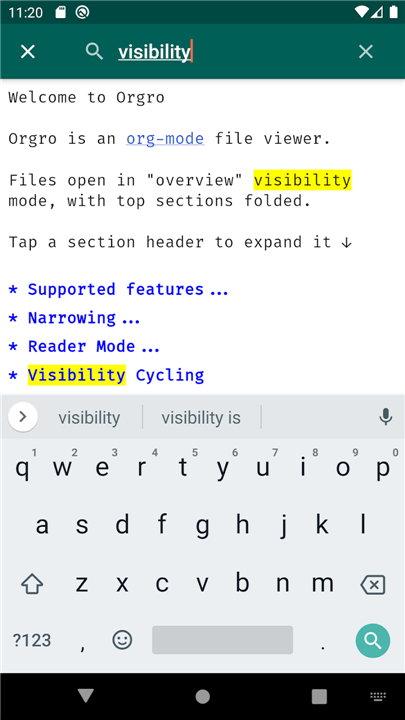
• Navigate through complex documents with ease by searching, filtering, and focusing your view just like you would on a desktop.
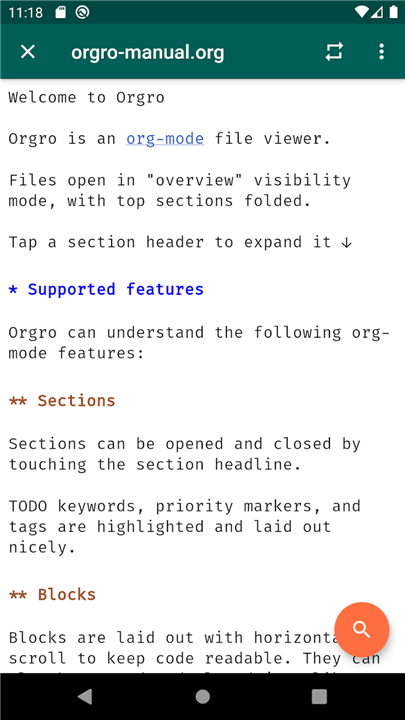
• Keep your digital workspace clean and legible by expanding or collapsing individual sections, code blocks, and properties with a simple touch.
Stunning Visual Presentation
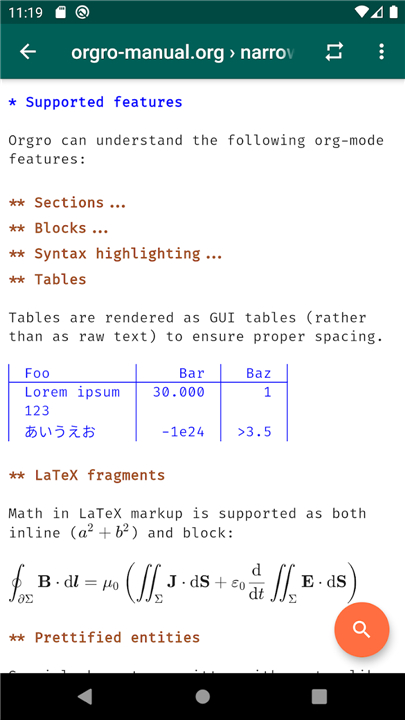
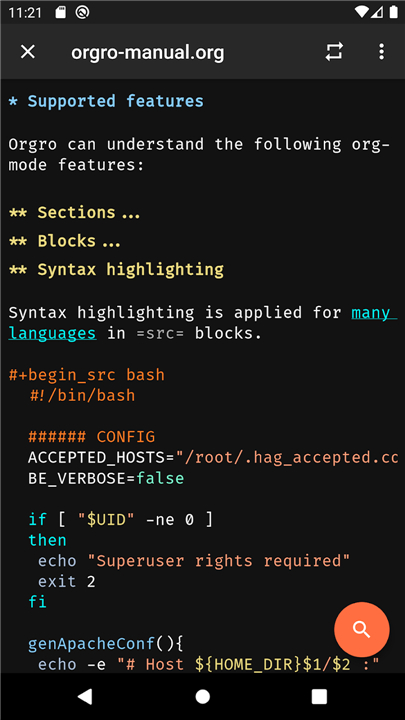
• Experience your data in beautiful detail with polished tables, syntax-highlighted code, and perfectly rendered LaTeX equations.
• Enjoy a comfortable, fatigue-free reading experience with text that automatically reflows to fit your mobile screen.
Advanced Protection and Academic Tools
• Safeguard your sensitive information using robust, seamless encryption and decryption for designated document sections.
• Manage academic citations and bibliographies effortlessly, keeping research materials organized and accessible wherever you choose to work.
FAQ
Q: Is Orgro suitable for users who are familiar with Org Mode but need a more mobile-friendly experience?
A: Orgro is specifically designed with intermediate users in mind, providing an interface that honors the depth of Emacs while making it accessible through touch-based interactions. It empowers you to maintain your momentum on the go without sacrificing the complex organizational structures you have already built in your desktop environment.
Q: How does the application handle task management and progress tracking on a smaller screen?
A: The app allows you to instantly update task statuses and interact with checkboxes with a simple tap. It also includes automatic progress tracking, which ensures that your momentum remains high as you see your projects move toward completion in real time.
Q: Can I rely on Orgro to keep me updated on my deadlines and scheduled events?
A: You certainly can, as the application features reliable, integrated notifications for your Org Agenda. This ensures you maintain complete control over your schedule by receiving alerts for deadlines and events exactly when you need them.
Version History
v2.3.8——28 Jul 2026
Bring Emacs Org Mode to your mobile with Orgro. Seamlessly manage tasks, Org Agenda, and LaTeX equations on your phone or tablet. Download the latest version of Orgro to enjoy new features and updates immediately!
*2.3.8
Minor bug fixes and improvements. Install or update to the newest version to check it out!
*2.3.7
Minor bug fixes and improvements. Install or update to the newest version to check it out!
*2.3.6
Minor bug fixes and improvements. Install or update to the newest version to check it out!