Simple Text Editor
Overview
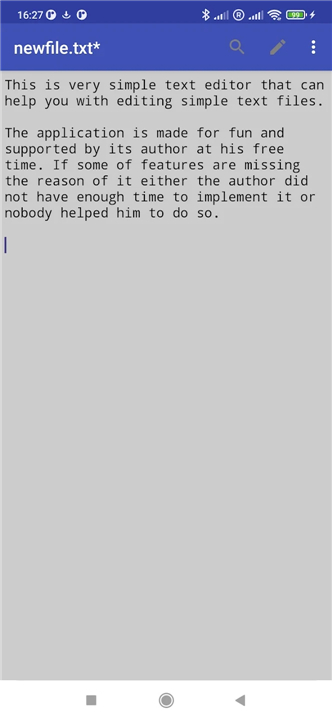
• TextPad is a streamlined utility designed for users who require a distraction-free environment for managing text.
• It provides a lightweight solution for basic editing tasks without the overhead of complex word processing software.
Primary Use Cases
• It serves as a dedicated tool for capturing quick notes throughout the day.
• It is ideal for documenting spontaneous ideas during breaks or short intervals.
• The application focuses on speed and efficiency for immediate data entry and file modification.
Technical Specifications
• The editor currently supports plain text files exclusively.
• By focusing on the .txt format, the application ensures maximum compatibility across different operating systems and devices.
• The minimalist architecture prevents formatting conflicts and preserves the integrity of the raw text.
Open Source Collaboration
• The source code is entirely open to the public, promoting transparency and community trust.
• Developers and contributors are invited to review the codebase and submit pull requests for improvements.
• The project welcomes a variety of contributions, including the implementation of new features, bug fixes, and multi-language translations.
• You can access the repository at: https://github.com/maxistar/TextPad.
Community Feedback
• The project is driven by user input, and all suggestions for future enhancements are encouraged.
• Feedback regarding usability, performance, and general functionality is highly valued to help guide the evolution of the application.
• Users are invited to participate in the growth of the project to ensure it meets the practical needs of its audience.
FAQ
Q: Why should I choose TextPad over a full-featured word processor like Microsoft Word or Google Docs?
A: While heavy word processors are great for complex layouts and advanced styling, they often come with slow loading times and unnecessary system overhead. TextPad is optimized for speed and efficiency, allowing you to instantly launch the application, write down your thoughts, and save your work without waiting for a massive program to load resources you do not need.
Q: What are some of the best practical use cases for this editor in daily workflows?
A: It is incredibly handy for capturing quick notes throughout your workday, documenting spontaneous ideas during breaks, or making rapid edits to existing files. Because it is so fast and unobtrusive, it functions beautifully as a digital scratchpad that is always ready when inspiration strikes.
Q: Which file formats does TextPad support?
A: The editor currently supports plain text files exclusively, typically using the standard extension. This focus keeps your workspace perfectly clean and ensures that your files remain universally readable across any platform.
Version History
v1.30.0——28 Jul 2026
This is simple text editor that can help you with editing text files. Download the latest version of Simple Text Editor to enjoy new features and updates immediately!
*1.30.0
- Rozdzielono tłumaczenia na chiński tradycyjny i uproszczony
- Zaktualizowano sformułowania
- Usprawniono wybór języka
*1.29.2
- Fixed recent files bug
- Updated About section in Settings screen
- Fixed Chinese translation issue
*1.29.1
- added a new size (thanks Christian for feature request and for donation)
- website is changed to https://simpleditor.org