Shader Editor
Overview
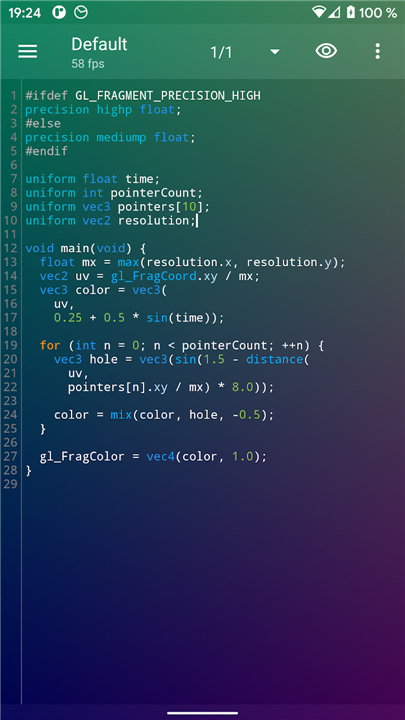
• Shader Editor is a comprehensive, open-source tool designed for creating and visualizing GLSL shaders directly on Android devices.
• The source code is publicly available on GitHub for community contribution and transparency.
Core Editing Features
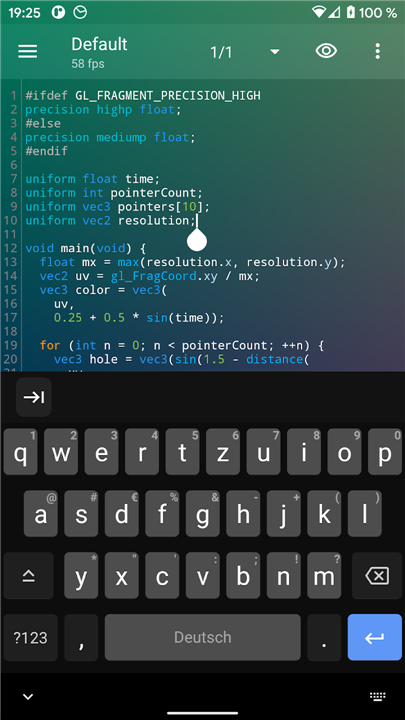
• Provides a robust code editor featuring syntax highlighting for improved readability.
• Includes real-time error highlighting to assist in debugging code.
• Features a live preview that can be displayed in the background or on an external screen.
• Displays an integrated FPS counter to monitor rendering performance.
Advanced Integration and Sensors
• Exposes hardware sensors to the shader, allowing for motion-reactive visuals.
• Supports multi-touch inputs for interactive shader designs.
• Provides access to the battery level within the shader code.
• Includes a backbuffer texture that allows access to the previously rendered frame for complex effects.
• Supports the importation and use of arbitrary textures.
Live Wallpaper Functionality
• Enables any shader to be used as a functional live wallpaper.
• Supports wallpaper offsets to ensure smooth transitions between home screens.
• Automatically disables rendering when the battery is low to preserve device power.
Performance and Compatibility
• Users should aim for a minimum of 30 FPS to prevent system UI lag when using shaders as wallpapers.
• Many devices limit GPU performance when unplugged; performance should be tested with the power cord disconnected and the soft keyboard hidden.
• Due to hardware limitations, detailed error reporting is unavailable on certain devices, such as the Huawei Ideos X3 and Asus Transformer.
Technical Support
• The project is hosted at: https://github.com/markusfisch/ShaderEditor
• Users are encouraged to report bugs and issues via the official GitHub repository issue tracker.
FAQ
Q: Is the project open-source, and where can I find the source code?
A: Yes, the entire project is open-source and built with community transparency in mind. You can access the public code, review development history, or contribute your own improvements on the official GitHub repository hosted at https://github.com/markusfisch/ShaderEditor.
Q: What tools does the app offer to help me write and debug GLSL code?
A: The app includes a robust code editor equipped with syntax highlighting to make reading and writing GLSL code much easier on a mobile screen. It also features real-time error highlighting, which instantly flags syntax and coding mistakes so you can identify and fix bugs as you write.
Q: Can I preview my shader creations in real-time?
A: Absolutely! The editor provides a live preview feature that renders your visual code instantly. You can choose to display this preview directly in the background of your editor or even cast it onto an external screen to see your visual adjustments in real-time on a larger display.
Version History
v2.36.2——28 Jul 2026
Create GLSL shaders and use them as live wallpaper. Download the latest version of Shader Editor to enjoy new features and updates immediately!
*2.36.2
* Improve editing
* Use display refresh rate for FPS cap
* Ensure non-premultiplied alpha for textures
* Add Simplified and Traditional Chinese translation
*2.36.1
Minor bug fixes and improvements. Install or update to the newest version to check it out!
*2.35.3
Minor bug fixes and improvements. Install or update to the newest version to check it out!