Saber: Handwritten Notes
Reimagining Digital Handwriting
• Saber is more than just a notes app; it is a meticulously crafted tool designed to make digital handwriting feel natural, secure, and intuitive.
• Whether you are a student, a professional, or a creative, Saber provides the precision you need to capture ideas without friction.
Visual Comfort and Intelligence
1. Smart Dark Mode:
• Saber intelligently inverts your notes, allowing for comfortable white-ink writing on dark backgrounds.
2. Dynamic Inversion:
• Unlike standard apps, Saber automatically inverts imported PDFs and images, ensuring your reference materials are as easy on the eyes as your own handwriting.
3. Precision Highlighting:
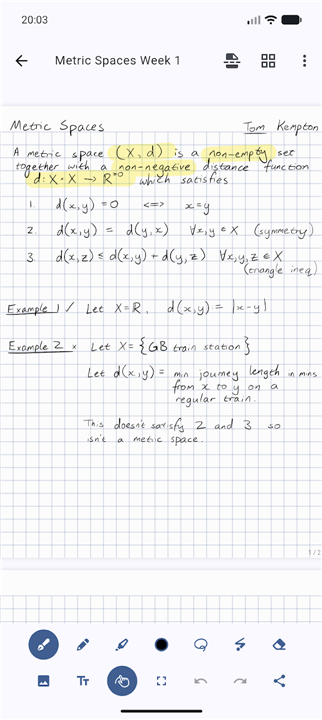
• By utilizing advanced canvas compositing, our highlighter mimics real-world stationery.
• Equations and text remain perfectly legible, free from the messy color-overlap or fading typical of other digital tools.
Uncompromising Privacy
1. End-to-End Control:
• With our dual-password encryption system, your notes remain exclusively yours.
• Your data stays private, even from server administrators.
2. Open-Source Transparency:
• We believe in radical transparency.
• Saber is entirely open-source, allowing you to audit our code and verify exactly how your data is handled.
3. Flexible Hosting:
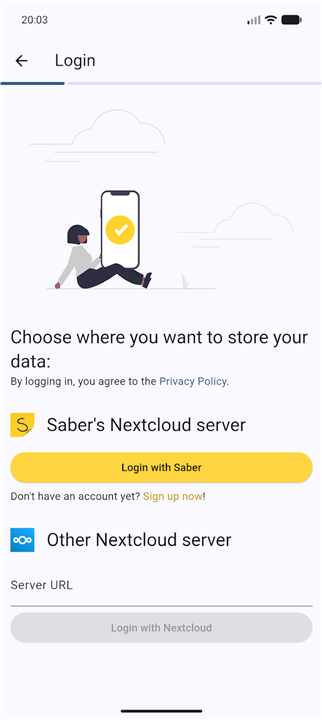
• Keep your notes on the official Saber server, choose a third-party host, or maintain full sovereignty by hosting your own.
Seamless Organization
1. Limitless Structure:
• Organize your thoughts your way with infinite nested folders.
2. Fast Navigation:
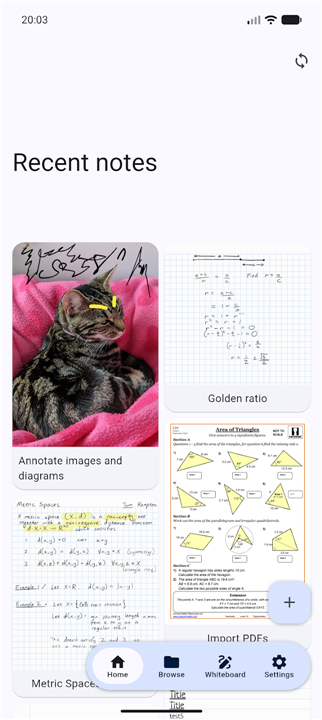
• Never lose track of your work; your most recent notes are always instantly accessible from the home screen, regardless of how deep they are filed.
3. Unified Experience:
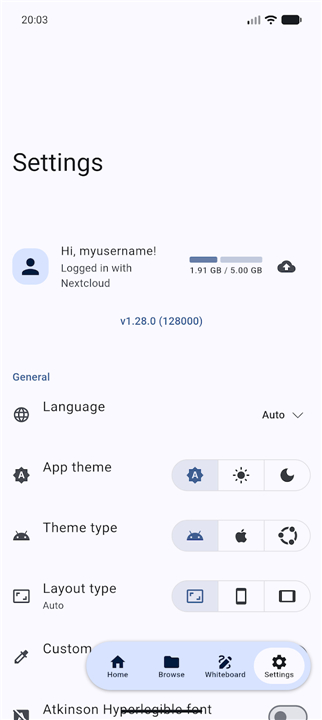
• Write anywhere. Saber syncs your notes fluidly across all your devices, big or small.
Download Saber today
• Experience the freedom of handwriting optimized for the modern age.
• Stop struggling with rigid tools that fight against your workflow.
FAQ
Q: How does the Smart Dark Mode function during writing sessions?
A: The Smart Dark Mode is designed to be visually comfortable by allowing you to write with white ink on a dark, eye-friendly background. It intelligently adjusts your workspace so that you can switch between lighting environments without experiencing eye strain or needing to manually change your pen colors.
Q: Will my imported documents look strange when I switch to dark mode?
A: Not at all, because Saber utilizes dynamic inversion. This technology automatically detects imported PDFs and images and adjusts their appearance to match your dark background, ensuring that your reference materials are as legible and comfortable to read as the notes you write yourself.
Q: How does the highlighting feature avoid the messy overlapping colors found in other apps?
A: Saber utilizes advanced canvas compositing to ensure a premium experience. This technique mimics real-world stationery, meaning your highlights will never fade or create messy, opaque color overlaps. Your underlying text and equations remain perfectly sharp and readable, no matter how much you highlight.
Version History
v1.35.0——8 Jul 2026
The notes app built for handwriting Download the latest version of Saber: Handwritten Notes to enjoy new features and updates immediately!
*1.35.0
• The browse page is now sorted alphabetically by default. You can customize the sort with the button at the top.
• Fixed a crash on certain Android devices (flutter/flutter#187237).
• Removed the scroll up to refresh functionality because it was confusing.
• Optimized Linux and Windows builds to remove unused code.
*1.34.3
• Fixed some blank pages appearing in exported PDFs.
• Improved the smoothness of scrolling in the editor.
• Added a Dutch translation.
• Added a Portuguese translation in addition to the existing Brazillian Portuguese translation.
*1.34.2
• Fixed the "Watch for updates on the server" feature not working.
• Improved PDF export and thumbnailing performance.
• Experimental improved stylus support on Windows, adding orientation and button detection.